


Top 7 Things Everyone Should Know About Smartphones
Your smartphone is more powerful than many computers from just a decade ago — but are you really using it safely, efficiently, and to its full potential? Most people use their smartphones every day...

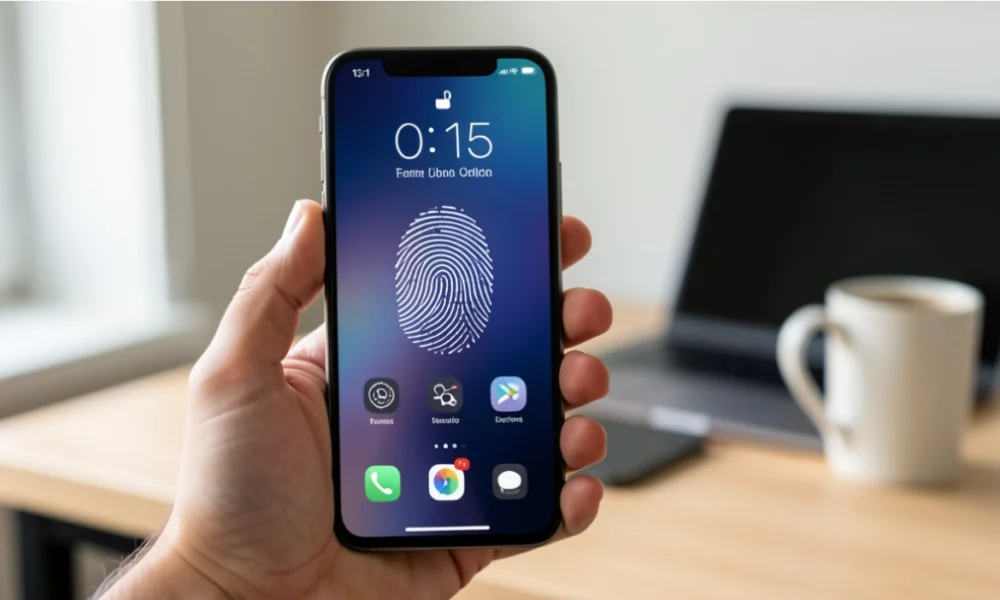
Your smartphone is more powerful than many computers from just a decade ago — but are you really using it safely, efficiently, and to its full potential?
Table Of Content
- What Is a Smartphone, Really?
- 1. Your Lock Screen Is Your First Line of Defence
- 2. Software Updates Are Not Optional
- 3. App Permissions Deserve More Attention Than You Give Them
- 4. Battery Care Affects How Long Your Phone Lasts
- 5. Public Wi-Fi Is Convenient but Risky
- 6. Storage Management Keeps Your Phone Running Smoothly
- 7. Two-Factor Authentication Adds a Critical Layer of Security
- Final Thoughts
- FAQs
- How often should I restart my smartphone?
- Does closing apps in the background improve battery life?
- How do I know if my phone has been compromised?
- What is the safest way to back up my phone?
Most people use their smartphones every day without thinking much about how they work or how to get the best out of them. That can lead to poor battery life, slow performance, privacy risks, and security problems that are easy to avoid.
This article walks you through seven important things everyone should know about smartphones — no technical background needed.
What Is a Smartphone, Really?
A smartphone is a handheld device that combines mobile communication with computing functions. It runs a full operating system, connects to the internet, and supports apps that handle everything from banking to navigation. Unlike older mobile phones, a smartphone processes data, stores files, and manages multiple tasks at once — much like a personal computer fits in your pocket.
Understanding this helps you treat your phone not just as a communication tool, but as a device that holds sensitive data and needs proper care and attention.
1. Your Lock Screen Is Your First Line of Defence
If someone picks up your phone, the lock screen is the only thing standing between them and your personal data. A weak PIN like “1234” or no lock at all makes your phone easy to access.
Use a strong six-digit PIN, a unique pattern, or biometric options like a fingerprint or face ID. These are not just conveniences — they are basic security measures. Biometric locks are fast and harder to guess, but it is also worth having a strong backup PIN in case the biometric fails.
Avoid using your birthdate, house number, or anything that someone who knows you could easily guess.
2. Software Updates Are Not Optional
When your phone asks you to install an update, it is tempting to tap “remind me later” and forget about it. But updates do more than add new features. They often fix security vulnerabilities that hackers can use to access your device.
Both Android and iOS release regular patches that close known weaknesses in the operating system. If you skip these updates for months, your phone becomes more exposed to security threats that have already been identified and fixed.
Set your phone to update automatically overnight so it stays current without disrupting your day.
3. App Permissions Deserve More Attention Than You Give Them
When you install an app, it often asks for access to your camera, microphone, location, or contacts. Many people tap “Allow” without thinking twice. That is worth reconsidering.
A torch app does not need access to your location. A simple game does not need your contacts. When an app asks for permissions that do not match what it actually does, that is a warning sign.
Go to your phone’s settings and review which apps have access to what. On both Android and iOS, you can revoke permissions at any time without uninstalling the app. Doing this occasionally is one of the simplest ways to protect your privacy.
4. Battery Care Affects How Long Your Phone Lasts
Most smartphones use lithium-ion batteries, which degrade over time. How you charge your phone has a direct effect on how long that battery stays healthy.
Keeping your battery between 20% and 80% charge is better for its long-term health than repeatedly draining it to zero and charging it to 100%. Overnight charging is fine on modern phones because they are designed to stop charging once full, but extreme heat is the bigger concern. Charging your phone in a very hot environment, like a sunny car dashboard, speeds up battery wear noticeably.
If your battery drains unusually fast, check which apps are consuming the most power in your settings. Background apps running constantly are a common cause.
5. Public Wi-Fi Is Convenient but Risky
Free public Wi-Fi at cafes, airports, and hotels is useful, but it comes with real risks. These networks are often unencrypted, which means other users on the same network can potentially intercept what you are sending and receiving.
Avoid logging into your bank, email, or any account with sensitive information while connected to public Wi-Fi. If you regularly use public networks, consider a VPN (Virtual Private Network). A VPN encrypts your internet traffic so that others on the same network cannot read it. Many reliable VPN apps are available for both Android and iOS.
Turning off the setting that automatically connects your phone to known networks also gives you more control over when and where your phone connects.
6. Storage Management Keeps Your Phone Running Smoothly
As you use your phone over time, storage fills up with photos, downloaded files, cached app data, and apps you no longer use. A phone with very little storage left tends to run more slowly and may struggle to install updates.
You do not need to delete everything to fix this. Start by reviewing your photos and backing them up to a cloud service or your computer, then removing duplicates and old screenshots. Next, look at apps you have not opened in months and remove them. On most phones, you can also clear cached data for individual apps without losing your settings or login information.
Keeping at least 10–15% of your storage free is a good general rule for keeping your phone responsive.
7. Two-Factor Authentication Adds a Critical Layer of Security
Passwords alone are not always enough to protect your accounts. Two-factor authentication (2FA) adds a second verification step when you log in, usually a code sent to your phone or generated by an app. Even if someone gets your password, they still cannot access your account without that second step.
Most major services — including Google, Apple, banking apps, and social media platforms — offer 2FA. Setting it up usually takes under five minutes and makes your accounts significantly harder to breach.
Authentication apps like Google Authenticator or Authy are more secure than SMS codes because they are not vulnerable to SIM-swapping attacks, where someone tricks a mobile carrier into transferring your number to their device.
Final Thoughts
You do not need to be a tech expert to use your smartphone more safely and effectively. The seven points above cover the basics that most everyday users overlook: locking your screen properly, keeping software updated, managing app permissions, looking after your battery, staying careful on public Wi-Fi, managing storage, and turning on two-factor authentication.
Each one is straightforward to act on, and together they make a real difference to your privacy, security, and how well your phone performs over time.
FAQs
How often should I restart my smartphone?
Restarting your phone once a week helps clear temporary files and background processes. It can improve performance and fix minor glitches without affecting your data.
Does closing apps in the background improve battery life?
On modern smartphones, it usually does not help and can actually make things slightly worse, because reopening apps uses more energy than leaving them in the background. The exception is apps that actively run in the background, like music or navigation apps.
How do I know if my phone has been compromised?
Signs include unusual battery drain, unexpected data usage, apps you did not install, or your phone running hot when idle. If you notice these, run a security check using your phone’s built-in protection tools or a trusted security app.
What is the safest way to back up my phone?
Use your phone’s built-in backup feature — iCloud for iPhone or Google One for Android. These back up your photos, contacts, and app data automatically and can restore everything if you lose or replace your phone.



No Comment! Be the first one.