


5 Key Features of Cloud Storage Explained
Cloud storage has transformed the way individuals and businesses store, access, and share data. From automatic backups to file syncing across devices, it offers powerful tools that go beyond simple...

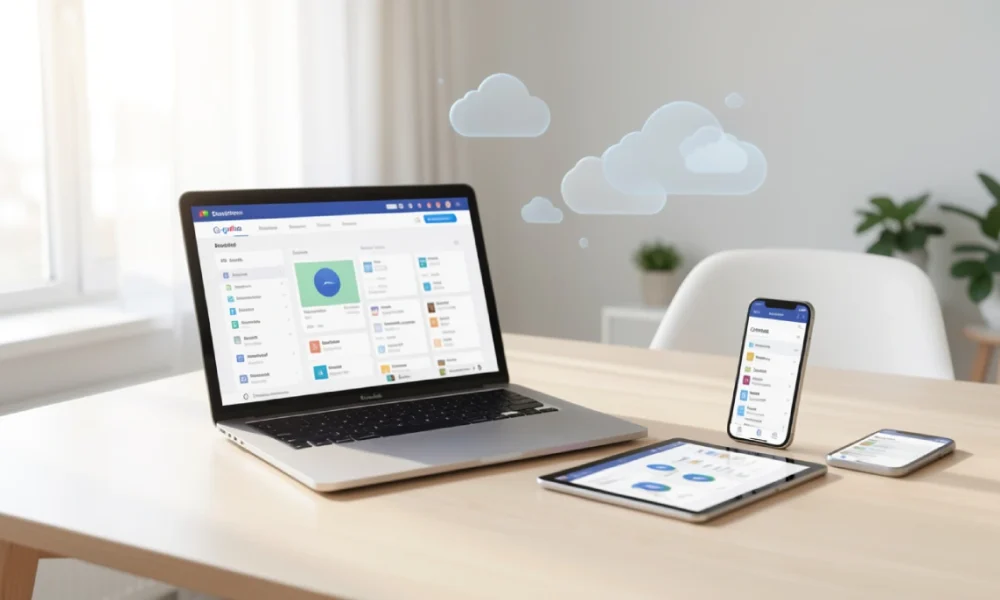
Cloud storage has transformed the way individuals and businesses store, access, and share data. From automatic backups to file syncing across devices, it offers powerful tools that go beyond simple online storage. Understanding its key features can help users choose the right solution and use it more effectively.
Table Of Content
What is cloud storage?
Cloud storage is a service that allows you to save files on remote servers accessed through the internet, rather than storing them only on your local device. Providers maintain these servers, and you access your files through a web browser or dedicated app.
This article explains the five core features that make cloud storage useful: security measures that protect your data, accessibility options that let you work from anywhere, scalability that grows with your needs, collaboration tools for team projects, and backup systems that prevent data loss. Each feature addresses a specific need, and understanding them helps you evaluate whether a particular service matches your requirements.
Many people assume cloud storage is just about saving space on their computer. While that’s one benefit, the real value comes from how these features work together to create a flexible, reliable system for managing digital files.
Security and Encryption
Security stands as the most important feature when evaluating any cloud storage service. Your files travel across the internet and sit on servers you don’t control, so understanding how providers protect your data matters greatly.
Most reputable services use encryption to protect your files. Encryption scrambles your data so that unauthorized people cannot read it, even if they intercept it. Two types of encryption apply here: encryption in transit protects files as they travel between your device and the server, while encryption at rest protects files stored on the provider’s servers.
Many services also offer two-factor authentication, which requires you to verify your identity through a second method (like a code sent to your phone) in addition to your password. This prevents unauthorized access even if someone steals your password.
However, not all cloud storage providers offer the same level of protection. Some services can access your files because they hold the encryption keys, while others offer zero-knowledge encryption where only you hold the keys. The second option provides more privacy but means the provider cannot help you recover files if you forget your password.
Real-world example: If you store sensitive business documents or personal financial records, you need a service with strong encryption and the ability to control who can view or edit specific files. Basic consumer services may not provide sufficient protection for highly sensitive information.
Accessibility Across Devices
The ability to access your files from any device with an internet connection defines one of cloud storage’s most practical advantages. You can start work on your office computer, make edits on your phone during your commute, and finish on your home laptop without manually transferring files.
This feature works through synchronization. When you save a file to your cloud storage folder, the service automatically uploads it to the remote server and downloads it to any other device connected to your account. Changes you make on one device appear on all others, usually within seconds.
Most providers offer apps for Windows, Mac, iOS, and Android, plus web-based access for any device with a browser. This means you’re not locked into a specific operating system or device type.
The practical benefit extends beyond personal convenience. If your laptop breaks or gets lost, you can immediately access all your files from another device. You don’t lose work or wait for hardware repairs to retrieve important documents.
One limitation to consider: accessibility requires an internet connection. If you’re working somewhere without reliable internet, you cannot access files stored only in the cloud. Many services address this with offline access features that download specific files to your device temporarily, but this requires planning ahead.
Scalable Storage Capacity
Storage scalability means you can increase or decrease your storage space based on your current needs without buying new hardware or switching services. This flexibility suits both individuals and businesses whose storage requirements change over time.
Cloud providers typically offer tiered plans. You might start with a free plan that includes 5-15 GB of storage, then upgrade to a paid plan with 100 GB, 1 TB, or more as your file collection grows. Some services designed for businesses offer unlimited storage or plans measured in multiple terabytes.
This approach costs less than buying external hard drives or upgrading your computer’s internal storage. A 1 TB external hard drive costs around £50-70 as a one-time purchase, but if it fails or you need more space, you must buy another. A 1 TB cloud storage plan typically costs £6-10 per month and includes the other features discussed in this article.
For businesses, scalability matters even more. A company might need 100 GB when starting out but require 10 TB two years later. Cloud storage accommodates this growth without requiring IT staff to install new servers or migrate data to larger systems.
The downside: you pay continuously for cloud storage through monthly or annual subscriptions. If you stop paying, you typically lose access to your files after a grace period. Physical storage like external drives involves a one-time cost but gives you permanent ownership.
Collaboration Tools
Cloud storage enables multiple people to work on the same files simultaneously, which changes how teams complete projects. Instead of emailing documents back and forth or trying to merge different versions, everyone works from a single source.
These collaboration features include shared folders where you can give specific people access to certain files, permission controls that determine whether someone can view only or also edit files, and version history that tracks changes and lets you restore previous versions if needed.
Real-time collaboration works particularly well with integrated productivity apps. Services like Google Drive, Microsoft OneDrive, and Dropbox let multiple users edit the same document simultaneously. You see other people’s changes as they type, which speeds up group projects significantly.
For businesses, these tools reduce confusion about which document version is current. When everyone accesses the same file from the cloud, nobody works on outdated copies or accidentally overwrites someone else’s work.
Small details matter here. Good services let you control permissions at a detailed level. You might give your manager full editing access, your team view-only access, and external clients access to just one specific folder with an expiration date.
The challenge comes when people work in different applications or prefer different tools. Not every cloud service integrates well with every productivity app, so compatibility affects how smooth the collaboration experience feels.
Automatic Backup and Recovery
Automatic backup may be cloud storage’s most underappreciated feature. It protects you from data loss caused by hardware failure, accidental deletion, theft, or physical damage to your devices.
Traditional backup methods require you to remember to copy files manually or set up complex backup software. Cloud storage handles this automatically. Once you place files in your cloud folder, the service continuously saves copies to remote servers without requiring any action from you.
Most services maintain version history, meaning they keep multiple previous versions of your files. If you accidentally delete important content from a document or realize you preferred an earlier version, you can restore it. Providers typically keep version history for 30 days to several years, depending on your plan.
Recovery processes vary by provider, but most make it straightforward. Deleted files usually move to a trash folder where they remain for 30-60 days before permanent deletion. This grace period lets you recover files you deleted accidentally.
For businesses, this feature provides a simple disaster recovery solution. If an office floods, burns down, or experiences a ransomware attack that encrypts local files, the cloud copies remain safe and accessible. Small businesses especially benefit because setting up traditional off-site backup systems requires significant technical knowledge and ongoing maintenance.
The limitation: automatic backup works only for files you store in the cloud folder. Documents saved only to your desktop or other local folders don’t get backed up unless you specifically move them or configure additional backup software.
Final Thoughts
Cloud storage offers more than simple file hosting. The five features covered here—security and encryption, accessibility across devices, scalable capacity, collaboration tools, and automatic backup—work together to create a practical system for managing digital files.
Choosing the right service depends on which features matter most for your situation. Someone working alone on creative projects prioritizes accessibility and backup, while a business team needs strong collaboration tools and detailed permission controls. Privacy-focused users seek services with zero-knowledge encryption, even if it means sacrificing some convenience features.
Most major providers offer free plans with limited storage so you can test their features before committing to a paid subscription. This hands-on experience helps you understand whether a service’s approach matches your workflow better than reading reviews or comparing specification charts.
Cloud storage continues to improve as providers add new features and increase storage limits. However, the five core features explained here remain the foundation of what makes these services valuable for both personal and professional use.







No Comment! Be the first one.