


10 Ways to Stay Secure Online
Every day, millions of people fall victim to cyber threats without even realizing how it happened. From hacked social media accounts to stolen bank details, the risks are real. But the good news is...

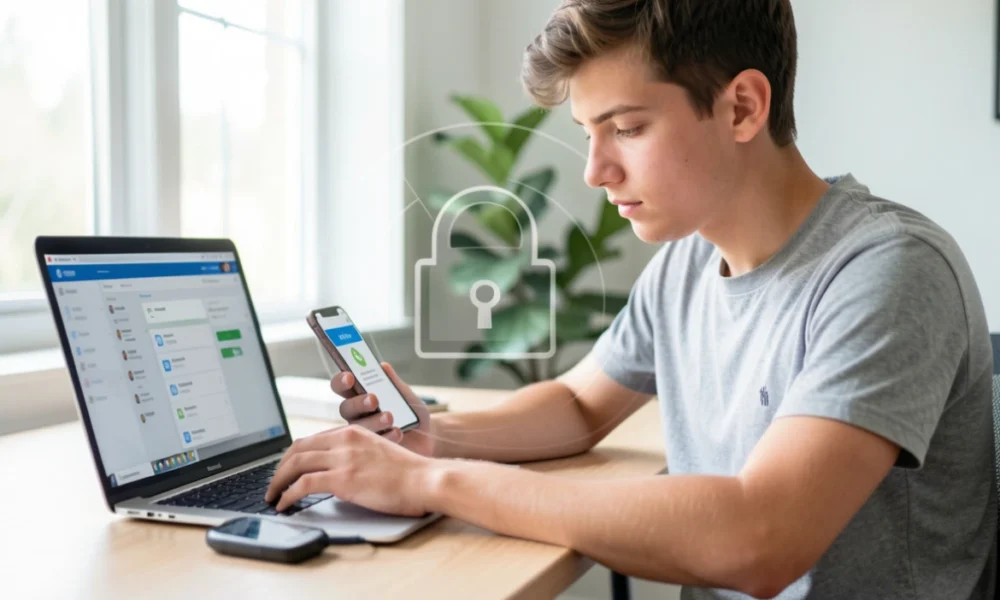
Every day, millions of people fall victim to cyber threats without even realizing how it happened. From hacked social media accounts to stolen bank details, the risks are real. But the good news is that staying secure online is easier than you think.
Table Of Content
- 1. Use Strong, Unique Passwords
- 2. Enable Two-Factor Authentication
- 3. Keep Your Software Updated
- 4. Recognize and Avoid Phishing Attempts
- 5. Be Careful on Public WiFi
- 6. Review Your Privacy Settings Regularly
- 7. Back Up Your Important Data
- 8. Use Antivirus Software
- 9. Verify Websites Before Sharing Information
- 10. Limit What You Share Online
- Final Thoughts
You don’t need to be a tech expert to protect yourself. Most security breaches happen because people skip simple safety steps, not because hackers are unusually clever. This guide will show you 10 practical ways to keep your personal information, accounts, and devices safe. Each tip is something you can start using today.
1. Use Strong, Unique Passwords
Weak passwords are the easiest way for someone to gain unauthorized access to your accounts. A strong password should be at least 12 characters long and include a mix of letters, numbers, and symbols. More importantly, you should use a different password for each account.
When you reuse the same password across multiple sites, one breach can compromise all your accounts. If a hacker gets your password from a shopping website, they’ll try it on your email, bank, and social media. This is why uniqueness matters as much as strength.
Consider using a password manager to store and generate passwords for you. These tools remember your passwords securely, so you only need to remember one master password. Popular options include Bitwarden, 1Password, and LastPass.
2. Enable Two-Factor Authentication
Two-factor authentication adds an extra layer of protection to your accounts. Even if someone steals your password, they still can’t get in without the second verification step.
This second step is usually a code sent to your phone or generated by an authentication app. Some services also offer physical security keys. The method varies, but the principle is the same: you need something you know (your password) and something you have (your phone or key).
Turn on two-factor authentication for your most important accounts first. This includes your email, banking, and social media. Most major platforms now offer this feature in their security settings.
3. Keep Your Software Updated
Software updates aren’t just about new features. They often fix security holes that hackers could use to access your device or data.
When companies discover vulnerabilities in their software, they release patches to fix them. If you ignore these updates, you leave those security gaps open. Hackers actively look for devices running outdated software because they’re easier targets.
Enable automatic updates whenever possible. This applies to your operating system, web browser, apps, and antivirus software. If automatic updates aren’t available, check for updates at least once a week.
4. Recognize and Avoid Phishing Attempts
Phishing is when someone pretends to be a trusted organization to trick you into sharing personal information. These attempts usually come through email, text messages, or fake websites.
Common signs include urgent language, spelling mistakes, suspicious email addresses, and requests for sensitive information. Legitimate companies won’t ask you to verify your password or credit card details via email. They also won’t threaten to close your account unless you click a link immediately.
If you receive a suspicious message, don’t click any links. Instead, go directly to the official website by typing the address yourself. Contact the company through their verified customer service channels if you’re unsure.
5. Be Careful on Public WiFi
Public WiFi networks at cafes, airports, and hotels are convenient but risky. These networks are often unsecured, which means other people on the same network could potentially see what you’re doing online.
Avoid accessing sensitive accounts or making purchases when connected to public WiFi. If you must use it, stick to browsing websites that don’t require you to log in. Save your banking and shopping for when you’re on a secure network at home.
For regular public WiFi users, a VPN (Virtual Private Network) can help. A VPN encrypts your internet traffic, making it much harder for others to intercept your data. Just make sure to choose a reputable VPN provider, as free services may not offer adequate protection.
6. Review Your Privacy Settings Regularly
Most apps and websites collect more information than you might realize. Privacy settings give you control over what data is shared and who can see it.
Social media platforms are particularly important to review. Check who can see your posts, whether your profile is public, and what information appears in search results. Many platforms default to more open settings, so you need to actively adjust them to match your comfort level.
Don’t forget to check your phone’s privacy settings as well. Review which apps have access to your location, camera, microphone, and contacts. Remove permissions for apps that don’t need them.
7. Back Up Your Important Data
Backing up your data protects you from more than just hackers. Hard drives fail, phones get lost, and accidents happen. Regular backups ensure you won’t lose important files, photos, or documents.
You can back up to an external hard drive, cloud storage service, or both. Cloud services like Google Drive, iCloud, or Dropbox offer automatic backup options. External drives give you physical control over your data.
Follow the 3-2-1 rule: keep three copies of your data, on two different types of storage, with one copy stored off-site. This protects against hardware failure, theft, and disasters.
8. Use Antivirus Software
Antivirus software detects and removes malicious programs before they can harm your device or steal your information. While no antivirus catches everything, it adds a valuable layer of defense.
Windows and Mac computers come with built-in protection (Windows Defender and XProtect). These are sufficient for most users if kept updated. If you want additional protection, reputable paid options include Norton, Bitdefender, and Kaspersky.
Your phone needs protection, too, especially Android devices. Stick to downloading apps from official stores like Google Play or the Apple App Store. These platforms screen apps for malware, though they’re not perfect.
9. Verify Websites Before Sharing Information
Not every website you visit is legitimate. Fake websites often look nearly identical to real ones but are designed to steal your login credentials or payment information.
Before entering sensitive information, check the website’s URL carefully. Look for HTTPS at the beginning and a padlock icon in your browser’s address bar. These indicate the connection is encrypted. Be wary of slight misspellings in the domain name, as this is a common trick.
Bookmark important websites like your bank or email provider. Use these bookmarks instead of clicking links in emails or search results. This helps you avoid accidentally visiting fake versions.
10. Limit What You Share Online
The more information you post online, the easier it becomes for criminals to target you. Oversharing can lead to identity theft, account hacking, or real-world security issues.
Avoid posting details like your full birthdate, home address, phone number, or travel plans. These pieces of information help hackers answer security questions or know when your home is empty. Even seemingly harmless details can be combined to build a profile of you.
Think before you post on social media. Once something is online, it’s difficult to completely remove. Consider whether you’d be comfortable with a stranger, employer, or future version of yourself seeing what you’re about to share.
Final Thoughts
Staying secure online doesn’t require complex technical knowledge. It’s about building simple, consistent habits that make you a harder target. Start with the tips that feel most relevant to your situation, then gradually add more as they become routine.
Security is an ongoing process, not a one-time fix. Threats change, and new risks emerge. But by following these basic practices, you’ll be far better protected than most internet users. The time you invest in securing your digital life now can save you from serious problems later.
Remember that perfect security doesn’t exist. The goal isn’t to eliminate all risk, but to reduce it to a manageable level. Each step you take makes a real difference in protecting your personal information and peace of mind.





No Comment! Be the first one.