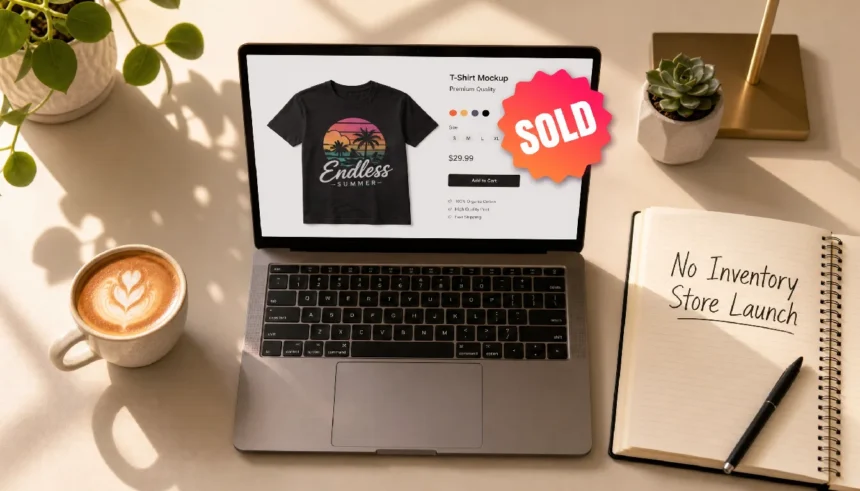
You want to sell custom t-shirts, mugs, or hoodies online. But buying hundreds of items and storing them in your garage sounds terrifying. You don’t have cash to risk on stock, and you’re not sure where to even click first.
Here’s the good news. If you want to know how to start a print-on-demand store without inventory step by step, the answer is simpler than you think. You never touch a product. A supplier prints and ships each order for you. This guide walks you through the whole process, from picking a platform to landing your first sale, without buying a single item upfront.
What Is Print on Demand and How the No-Inventory Model Actually Works
What is print on demand and how does it work without inventory? It’s a business model where you design products but never own them. A third-party supplier holds the blank items, prints your design when someone buys it, then ships it directly to your customer.
You handle the store and the marketing. The supplier handles printing, packing, and shipping. You only pay for the product once a customer has already paid you.
That’s the whole trick. There’s no warehouse, no leftover stock, and no upfront order to place. If nobody buys, you owe nothing.
Is Print on Demand Still Profitable in 2025? (With Realistic Numbers)
Yes, but not the way influencers describe it. Margins are thinner than people expect. A basic t-shirt often costs $12 to $14 to produce. You sell it for $25 to $30. That leaves you $11 to $16 per sale before ad costs.
Most beginners don’t get rich in month one. Realistic sellers report their first 10 to 20 sales within 60 to 90 days of consistent posting. The people who quit early almost always quit before month three.
Profit comes from volume and repeat buyers, not one viral post. Treat it like a real store, not a lottery ticket, and the numbers work in your favor over time.
How to Find a Winning Niche You Actually Care About
When I built my first print-on-demand store, I wasted three days picking a niche I thought was “profitable” but had no real connection to. The designs felt fake. I made zero sales that month.
Once I switched to a topic I actually liked, retro astronomy, everything changed. The designs felt genuine because I understood the inside jokes and references my audience wanted.
Pick a niche using three filters:
- You know something about it. You’ll write better captions and spot better design ideas.
- People already spend money on it. Check Etsy’s bestseller lists or search volume on a free tool like Google Trends.
- It’s specific, not broad. “Dog lovers” is too wide. “Owners of senior rescue dogs” is workable.
Small, specific niches sell better than broad ones because your designs speak directly to one type of buyer.
Best Print on Demand Platforms That Cost Nothing to Start
Looking for the best print on demand platforms without upfront cost? These four let you launch without paying for inventory or a monthly plan just to test the waters.
- Printful connects to Shopify, Etsy, and WooCommerce. No monthly fee. You pay per order.
- Printify offers a similar setup with a larger network of print suppliers, so pricing varies by product.
- Etsy works as your storefront if you don’t want to build a full website yet. Listing fees are low, around $0.20 per item.
- Redbubble and Teepublic need zero setup. You upload a design, and they handle everything, including the storefront.
For beginners, I recommend starting with Etsy plus Printify or Printful. You get a built-in audience searching for products daily, and setup takes under an hour.
How to Create Print-on-Demand Designs Even If You Have Zero Design Skills
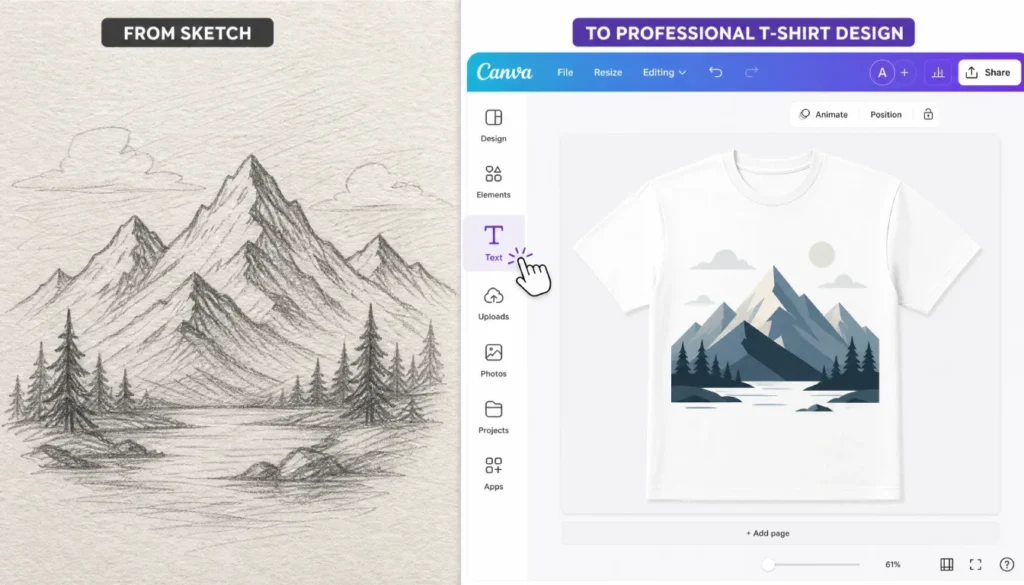
Wondering how to design print-on-demand products with no design skills? You don’t need to draw anything. Canva has a free plan built for exactly this.
I’ve helped over a dozen beginner sellers set up their first designs, and the most common mistake is overthinking the artwork. Simple text-based designs, using two fonts and one bold statement, often outsell complicated illustrations.
Here’s a quick process that takes about 10 minutes:
- Open Canva and search “t-shirt design” templates.
- Pick a template with clean typography rather than busy graphics.
- Swap in your own text; keep it short- one phrase works best.
- Download the design as a transparent PNG at 300 DPI.
- Upload the PNG directly into Printful or Printify’s mockup generator.
You don’t need to be an artist. You need one clear idea and a template that already looks good.
Step-by-Step: Set Up Your Store and Add Your First Product (No Inventory)
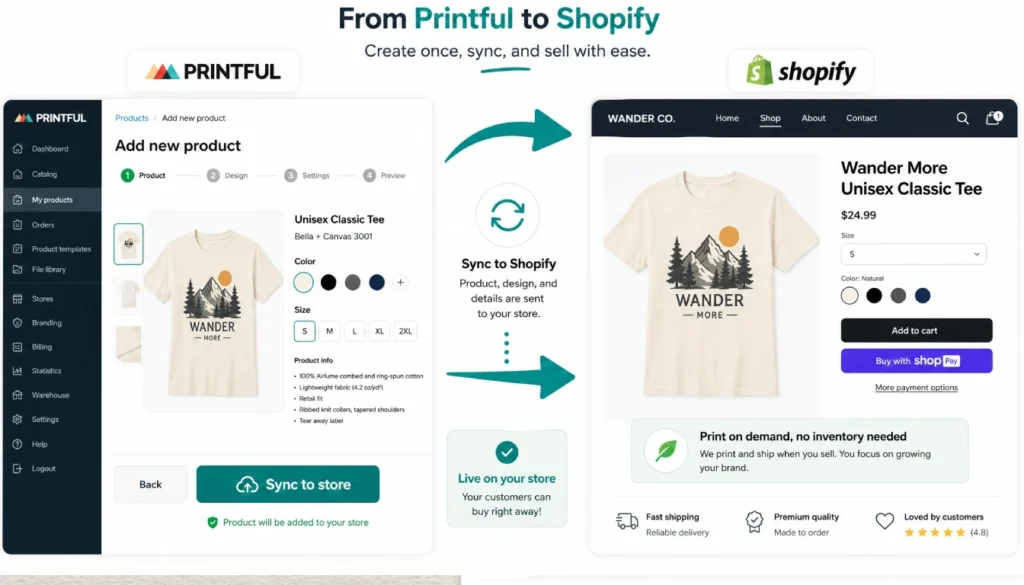
This is the exact roadmap for how to start a print-on-demand store without inventory step by step. Follow these five steps in order.
- Sign up for a free Shopify trial or an Etsy account, plus a free Printful account. Both take under five minutes to set up.
- In Printful, pick your first product. A unisex Bella+Canvas tee at a $12.95 base cost is a solid starting point.
- Use a free Canva template to add a simple text design. This step takes about 10 minutes once you have your idea.
- Set your retail price. A price of $27.99 gives you a workable margin after production and shipping costs.
- Push the product to your store and hit publish. You’re live, and you haven’t bought a single item.
No inventory changes hands at any point. You built a live product listing using only free tools and a few minutes of design time.
How to Get Your First Sale Without Spending Money on Ads
Your first sale usually comes from people, not paid traffic. Share your store link on your personal Facebook and Instagram accounts. Friends and family are more likely to buy or share than strangers.
Post in niche Facebook groups related to your topic, but read the rules first. Some groups ban self-promotion outright. Others allow it on specific days.
Use free hashtags on Instagram and TikTok tied to your niche, and post your design process, not just the finished product. People buy from sellers they feel they know, even a little.
Answer every comment and message quickly. Response speed builds trust faster than almost anything else in the first month.
9 Common Mistakes Beginners Make When Starting POD Without Inventory (and How to Dodge Them)
Common mistakes starting print on demand without inventory usually come down to rushing the setup or skipping research. Here’s what trips people up most often.
- Picking a trendy niche instead of one you understand. Trends fade fast, and generic designs blend into the crowd.
- Uploading low-resolution designs. Blurry prints lead to refund requests and bad reviews.
- Pricing too low. A price under $20 often leaves no real margin after fees.
- Ignoring mockup quality. Buyers judge your listing photo before they read a word of text.
- Skipping product descriptions. A one-line description won’t answer buyer questions or rank in search.
- Not testing shipping times. Order a sample for yourself before promoting the product.
- Posting once and giving up. Consistency over 60 to 90 days matters more than any single post.
- Copying trademarked phrases or characters. This gets listings removed and accounts banned.
- Not reading supplier size charts. Sizing complaints are the top reason for early refunds.
Avoid these nine, and you’ll already be ahead of most beginners in your first month.
Frequently Asked Questions
What is print on demand and how does it work without inventory?
It’s a model where a supplier prints and ships products only after a customer orders. You never hold stock, so there’s no upfront cost or storage needed.
Do I need money to start a print on demand business?
Not much. Most platforms are free to join, and you only pay production costs after a customer has already paid you.
How long until I make my first sale?
Most consistent sellers report a first sale within 30 to 60 days, though results vary based on niche and posting frequency.
Final Thoughts
Starting a print on demand store without inventory removes the biggest risk beginners worry about: losing money on stock nobody buys. You’ve now seen how to start a print on demand store without inventory step by step, from picking a niche to publishing your first product and landing early sales.
Pick one platform, build one design, and publish it this week. Momentum starts with one live product, not a perfect plan.
If this guide helped, leave a comment with the niche you’re considering. I read every one, and I’m happy to help you think it through.