

You’ve just hit “Forgot password” for the fifth time this month. You’re staring at another “password must include a symbol” message and thinking there has to be a better way.
There is. It’s called passwordless login, and this guide explains it in plain terms. You’ll learn what it means, how it works, and how to set it up on your own accounts, even if you’ve never heard the word “authentication” before.
I made the switch two years ago after my email got hacked. I haven’t typed a password to sign into Google in over a year. This guide walks you through exactly what changed and how you can do the same.
What Is Passwordless Login in Simple Words?
Passwordless login lets you sign into an account without typing a password. Instead, you prove who you are with something you have or something you are.
That might be your fingerprint, your face, a code sent to your phone, or a link sent to your email. The system checks that proof and lets you in.
Think of it like this: a password is a secret you memorize. Passwordless login swaps that secret for something tied to you or your device. No memorizing, no typing, no forgetting.
How Does Passwordless Login Work? (Step-by-Step)
Every passwordless method follows the same basic pattern. You ask to log in, the system checks a stored credential on your device, and access is granted if it matches. Here’s how that plays out with three common methods.
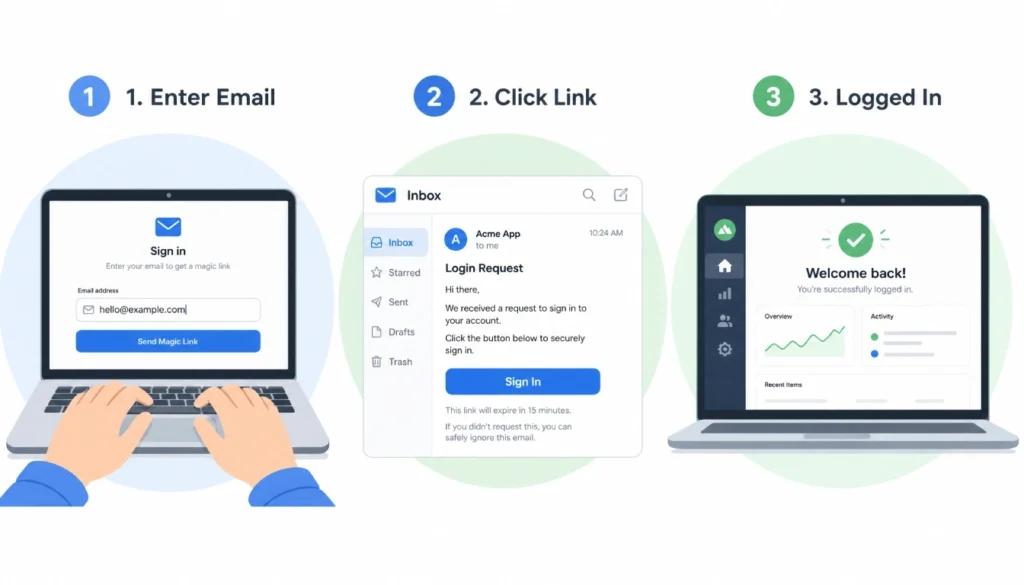
Magic Link
- You enter your email address on the login screen.
- The site sends you an email with a one-time link.
- You click the link, and you’re signed in.
No password ever gets typed or stored. The link itself confirms you have access to that inbox.
Biometric Login
- You open the app or site.
- Your device asks for a fingerprint or face scan.
- The scan matches a key stored on your device, and you’re in.
Your fingerprint never leaves your phone. It just unlocks a secure key that was created when you set up the account.
Passkey
- You create a passkey when you set up an account, usually with one tap.
- Your device stores half the key. The website stores the other half.
- Next time you log in, your device automatically confirms the match.
A passkey is built on a standard from the FIDO Alliance, the same group that backs biometric login across most major platforms.
5 Passwordless Login Methods You Can Use Today
- Passkeys. Built into Google, Apple, and Microsoft accounts. One tap or one scan to log in.
- Fingerprint login, already on most smartphones and many laptops.
- Face recognition. Common on iPhones and newer Android devices.
- Magic links. Popular with apps like Slack and Medium. You click a link in your email.
- One-time codes (OTP). A code sent by text or app, entered once per login.
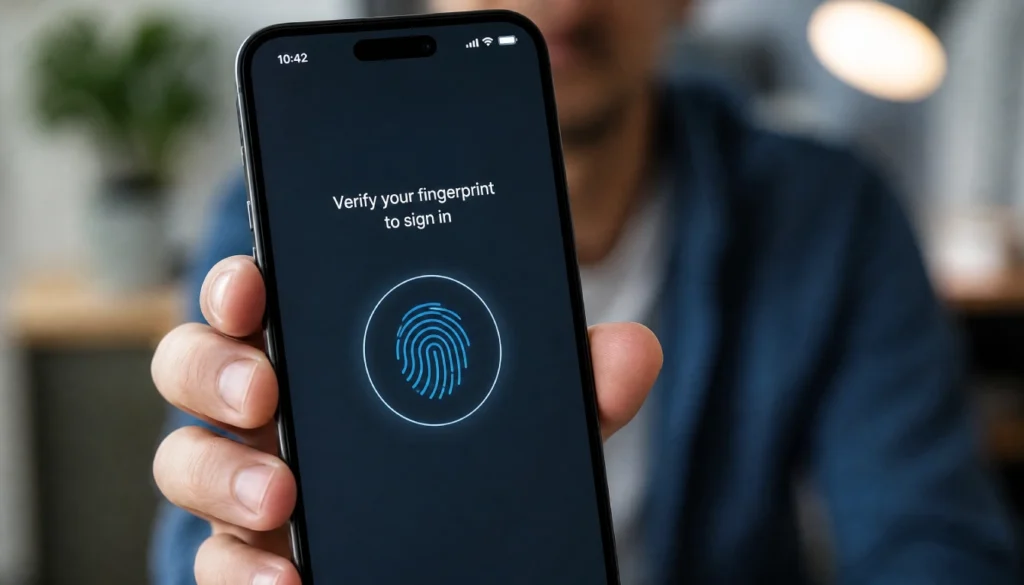
Fingerprint and face scans are usually the fastest. Magic links and OTP codes work well if you’re on a shared computer where biometrics aren’t set up.
Is Passwordless Login Safe? Honest Answers for Normal People
Is passwordless login safe for normal users? Yes, and in most cases it’s safer than a password.
Passwords get reused, guessed, or stolen in data breaches. A stolen password works anywhere it was reused. A passkey doesn’t work that way. It’s tied to your specific device and the specific site it was created for.
A thief can’t trick you into handing over your fingerprint the way they can trick you into typing a password on a fake site. That’s what makes passkeys phishing-resistant. There’s no secret to steal in the first place.
The one real risk is losing your device. If your phone is your login key and you lose it, you’ll need a backup method or account recovery. Most services let you register more than one device for exactly this reason.
Passwordless Login Pros and Cons (Why I Switched & What I Miss)
I personally faced endless password resets after my email was hit by a credential-stuffing attack. I had to contact three different support teams to recover my accounts.
After I switched my Google login to a passkey and set up fingerprint sign-in on my laptop, I haven’t reset a single password in 18 months. It felt strange at first, like leaving the house without a key. Now I can’t imagine going back.
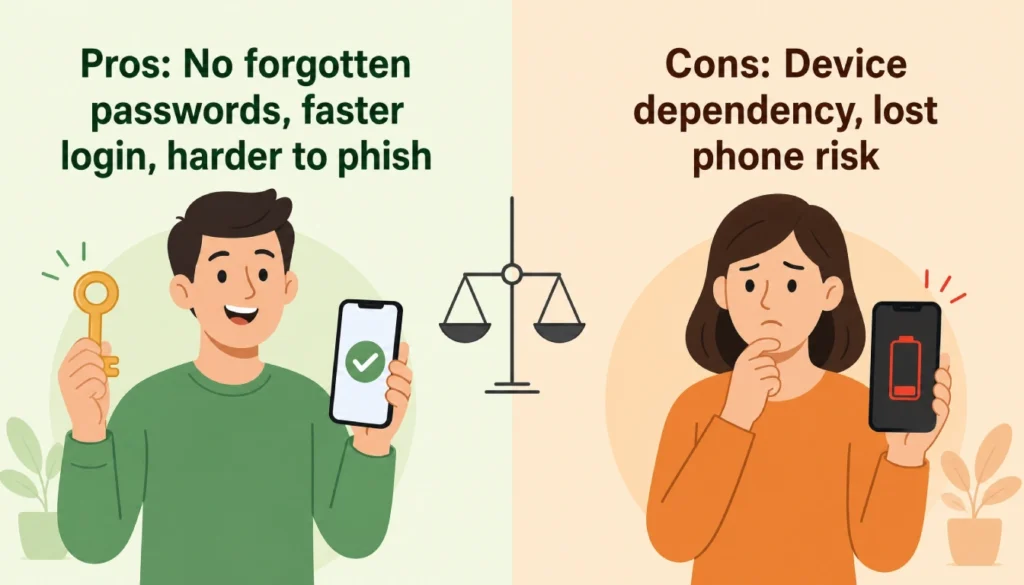
Pros:
- No more forgotten passwords or resets.
- Faster login, often under two seconds.
- Much harder to phish or steal.
- One less thing to memorize.
Cons:
- You depend on your device. Lose it, and recovery takes extra steps.
- Not every site supports it yet.
- Switching between multiple devices takes a bit of setup.
Even with those downsides, I found the trade worth it. The biggest win is not having a password to lose in the first place.
How to Start Using Passwordless Login Right Now (Google, iPhone, & More)
If password fatigue has you ready to try this today, follow these three steps.
Step 1: Pick one account to start. Your Google account is the easiest and most useful place to begin. Most of your other logins likely connect back to it.
Step 2: Turn on passkey or biometric login.
- On Google: go to myaccount.google.com, open “Security,” and select “Passkeys.” Follow the prompt to create one.
- On iPhone: open Settings, tap your name, go to “Passwords,” and set up a passkey for supported apps.
- On Microsoft: go to account.microsoft.com, open “Security,” and choose “Advanced security options” to add a passkey.
Step 3: Log out and test it. Sign out of the account, then sign back in using your new method. This builds confidence fast, and you’ll likely want to switch more accounts within a week.
I’ve walked several family members through this exact process. The most common mistake is skipping Step 3 and assuming it worked. Always test it once before you trust it.
Frequently Asked Questions
Do I still need a password manager if I go passwordless?
Yes, for now. Most people still have accounts that require a password, so a manager still helps until more sites catch up.
What happens if I lose my phone?
You can usually recover access through a backup device, a recovery code, or your account provider’s support process. Set up a backup method when you first enable passkeys.
Is a passkey the same as a password?
No. A passkey is a pair of cryptographic keys, one on your device and one on the server. Nothing is typed, and nothing can be guessed.
Can someone unlock my account with a photo of my fingerprint?
No. Biometric sensors check for a live scan, not just a matching image, which makes this kind of spoofing very difficult.
Will passwordless login replace passwords completely?
Not overnight. Expect a mix of both for the next few years as more sites adopt the standard.
Final Thoughts
Passwordless login explained simply comes down to this: you prove who you are with something tied to you, not a string of characters you have to remember. It’s faster, and it closes off the most common way accounts get hacked.
Start with one account. Test it once. Then expand from there. Passwordless login isn’t a future trend; it’s already working for millions of accounts today.
Have you tried a passkey yet? Drop a comment below and let me know which account you switched first.