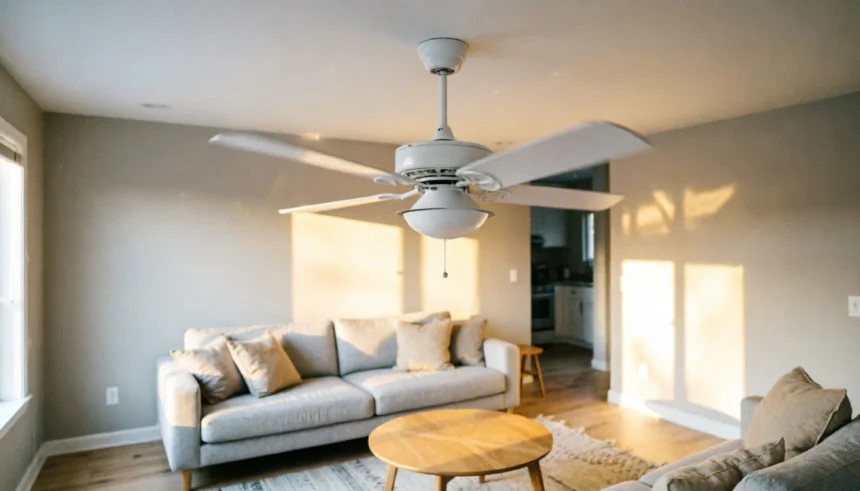
I’ll be honest with you. The first time my ceiling fan started wobbling, I convinced myself it was about to crash down on my head in the middle of the night.
It made that low, rhythmic thudding noise. The blades looked like they were doing something they absolutely should not be doing. And I stood there staring at it, completely clueless about what had gone wrong or how dangerous it actually was.
If that sounds familiar, you’re in the right place.
A wobbling ceiling fan is one of those home problems that feels scary but is almost always fixable. In most cases, you don’t need an electrician. You don’t even need a balancing kit, though one can help.
This guide walks you through every common cause of ceiling fan wobbling, how to diagnose the problem yourself, and exactly how to fix it, step by step.
Is a Wobbly Ceiling Fan Actually Dangerous?
This is the first thing most people want to know, and it’s a fair question.
The short answer: a mildly wobbling ceiling fan is not going to fall on you. Modern ceiling fans are mounted to a junction box rated to hold the weight and movement of a fan. A little wobble is annoying, not catastrophic.
That said, you should not ignore it. A ceiling fan shaking over time can loosen screws, wear out the motor, and, in rare cases with faulty installation, put stress on a mounting that was not properly secured to begin with.
So yes, fix it. But no, do not panic.
The Most Common Causes of Ceiling Fan Wobbling
Before you grab any tools, it helps to understand why ceiling fans wobble. There are a handful of causes that account for nearly every case.
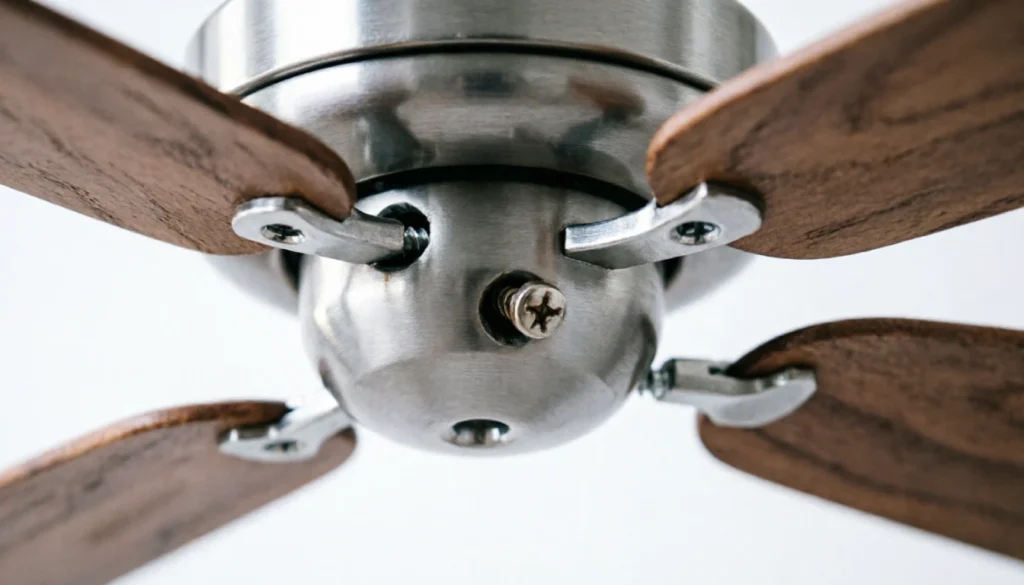
Loose blade screws. This is the number one culprit. The screws connecting your blades to the blade holders, and the blade holders to the motor housing, vibrate loose over time. Even slightly loose screws cause noticeable wobbling.
Unbalanced blades. If one blade is even slightly heavier or lighter than the others, the fan spins unevenly. This is the classic ceiling fan wobble cause and is what balancing kits are designed to fix.
Warped or bent blades. Wood blades can warp from humidity. Plastic blades can bend if bumped during cleaning. A warped blade sits at a different angle than the others and throws off the whole balance.
Loose mounting hardware. The canopy, the bracket, the downrod connection, any of these can work loose and cause a wobbling ceiling fan. Sometimes the wobble is coming from the ceiling itself, not the blades.
Uneven blade heights. After cleaning or repositioning, blades sometimes end up sitting at slightly different heights. Even a small difference is enough to create visible wobble.
Step-by-Step Ceiling Fan Wobble Diagnostic Guide
Work through these steps in order. Most people find their fix within the first two or three.
Step 1: Turn Off the Fan and Check Every Screw
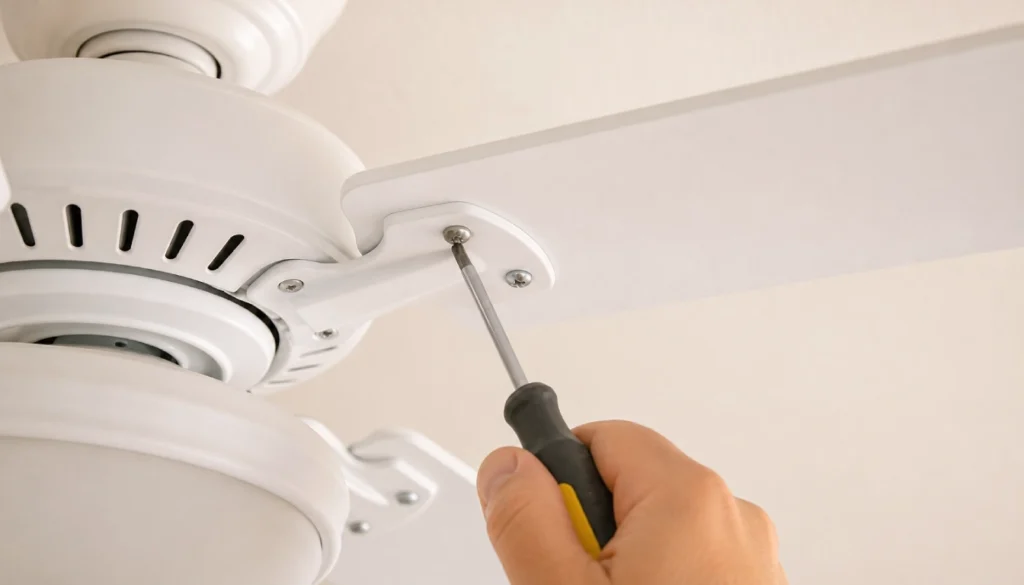
Start simple. Turn the fan off, wait for it to stop completely, and grab a screwdriver.
Check the screws on each blade where it connects to the blade holder. Then check the screws where each blade holder connects to the motor housing. Tighten anything that feels even slightly loose.
This takes five minutes and fixes the problem more often than you’d expect.
Step 2: Check the Mounting at the Ceiling
Look up at where the fan meets the ceiling. Gently wiggle the canopy. If it moves more than it should, the mounting bracket or the canopy screws may be loose.
You may need to pull the canopy down slightly to access the screws above it. Make sure the fan is properly secured to the ceiling junction box, not just drywall.
Step 3: Check Your Blade Heights (Blade Tracking)
This is called blade tracking. You want all your blades to sit at the same height as they spin.
Hold a ruler or a long flat object at a fixed point next to the fan. Slowly rotate each blade by hand and check whether each one passes at the same height. If one blade sits higher or lower than the others, gently bend the blade holder (the metal arm, not the blade itself) until it matches.
Step 4: Look for Warped or Damaged Blades
Take each blade off completely and lay it on a flat surface. A good blade lies flat. If one end lifts or the blade curves, it is warped.
Warped wooden blades sometimes flatten out if you store them flat under weight for a day or two. If the damage is severe, replacement blades are inexpensive and widely available.
Step 5: Balance the Blades
If you have done all of the above and the fan still wobbles, the issue is blade weight imbalance. This is where a balancing kit comes in.
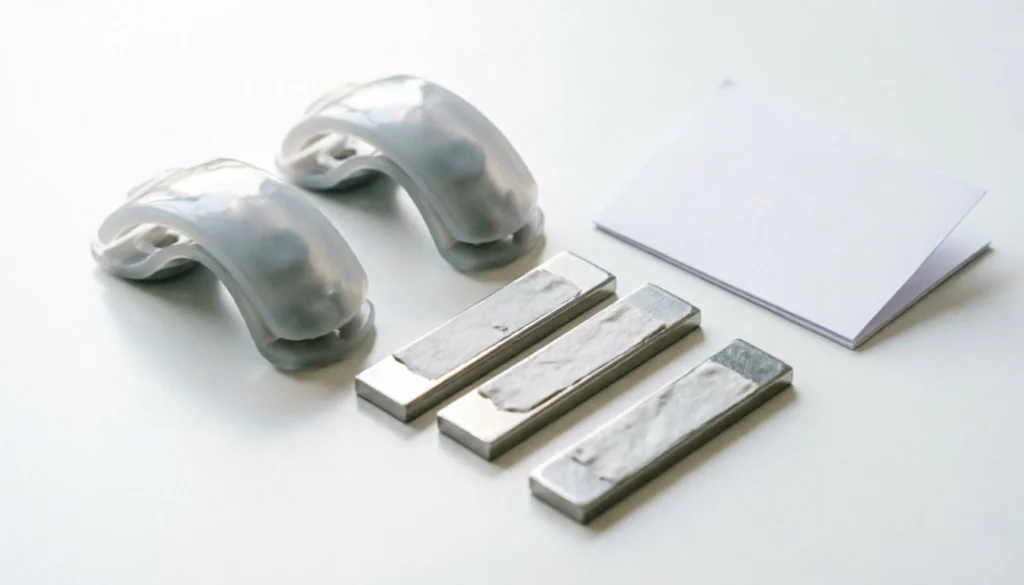
A ceiling fan balancing kit includes small plastic clips and adhesive weights. You can pick one up for a few dollars at any hardware store.
Here is how to use it:
- Clip the balancing clip to the center of one blade’s leading edge.
- Run the fan and observe whether the wobble improves, worsens, or stays the same.
- Move the clip to each blade in turn until you find the blade where the clip reduces wobbling.
- Once you find that blade, slide the clip toward the tip and toward the base to find the best position.
- Once you find the spot that minimizes wobble, replace the clip with a self-adhesive weight in the same location.
No balancing kit? Use tape and a coin. Tape a small coin to the top center of a blade and test. Move it around until the wobble decreases. This is a legitimate fix and works just as well for minor imbalances.
Quick Comparison: Wobble Causes vs. Fixes
| Cause | What You’ll Notice | Fix |
|---|---|---|
| Loose blade screws | Wobble plus clicking noise | Tighten all blade and holder screws |
| Loose mounting bracket | Wobble from ceiling, canopy moves | Tighten canopy and bracket hardware |
| Uneven blade heights | Wobble that varies by speed | Adjust blade holder arms |
| Warped blade | Visible curve or lift when laid flat | Flatten or replace the blade |
| Weight imbalance | Smooth but persistent wobble | Use balancing clip or coin method |
Why Does My Ceiling Fan Wobble Only at High Speed?
This is a very common pattern. If your ceiling fan wobbles on high speed but runs fine on low, the blades are slightly out of balance but not severely enough to wobble at slower RPMs.
The fix is the same, balancing the blades, but the cause is worth understanding. At higher speeds, any small imbalance gets amplified. It is the same reason a slightly flat tire feels fine at 20 mph but shakes the wheel at 60 mph.
Start with blade tracking, check all screws, then use the balancing clip method to fine-tune.
Why Does My Ceiling Fan Wobble After Cleaning?
This is a pattern I hear about constantly. Someone cleans their fan, puts the blades back, and suddenly it wobbles.
What almost certainly happened: one of the blades was reattached at a slightly different angle or height, or a screw was not fully tightened. Go back to Step 1 and Step 3 in the diagnostic guide above. Check every screw and run the blade tracking test. You will almost certainly find the issue right there.
When Should You Call a Professional?
In most cases, you genuinely do not need to. But there are situations where calling an electrician or handyman makes sense.
Call a pro if the fan was recently installed and wobbles from day one, since that can indicate a wiring or mounting problem. Also call one if the ceiling junction box itself feels loose or moves when you wiggle the fan, since that is a structural issue that needs proper hardware. If you have checked every blade, tightened every screw, and balanced the fan and it still wobbles badly, something may be wrong with the motor mount or the motor itself.
For everything else, the fixes above cover the vast majority of ceiling fan wobble problems.
Frequently Asked Questions
Can a wobbly ceiling fan fall down?
It is extremely unlikely if the fan is mounted to a proper fan-rated junction box. However, a loose mounting bracket or improper installation increases risk over time. Always check the mounting when you notice wobbling.
How do I stop a ceiling fan from wobbling without a balancing kit?
Use the tape and coin method. Tape a penny or small coin to the top center of one blade and test at high speed. Move it from blade to blade and position until the wobble reduces, then secure it permanently with double-sided tape.
Why does my ceiling fan wobble after I changed the direction?
Reversing a ceiling fan changes the blade pitch and airflow dynamics slightly. If a small imbalance was masked before, the direction change can expose it. Run through the diagnostic steps, especially blade tracking and the balance test.
Is ceiling fan wobbling worse in summer?
Wood blades absorb humidity and can warp slightly during humid months. If your fan wobbles seasonally, check each blade on a flat surface and look for slight curves or bowing.
How much does professional ceiling fan balancing cost?
A handyman typically charges between $50 and $150 for a service call that includes balancing and tightening. An electrician may charge more. In most cases, you can fix the wobble yourself for the cost of a balancing kit, which runs about $3 to $8 at most hardware stores.
You’ve Got This
A wobbling ceiling fan is one of those home problems that looks worse than it is. In most cases, a loose screw or a slightly unbalanced blade is all that is standing between you and a smooth, quiet fan.
Work through the steps above one at a time. Check the screws first. Do the blade tracking test. Try the balancing clip or coin method. Most people fix the problem in under 30 minutes with tools they already own.
If you have gone through every step and still cannot find the fix, that is what comments are for. Drop your situation below, including when the wobble started and what you have already tried. I’m happy to help you figure it out.
And if this guide helped you fix your fan, share it with someone else who is standing in their living room, staring at the ceiling, wondering what on earth is going on.