

You want to watch a movie with your best friend in London. Your 8 p.m. is her 1 a.m. Even if you find a time that works, the video keeps drifting out of sync and someone always misses the punchline. That’s the problem with a virtual movie night across time zones: it sounds simple until you try it.
You don’t need a tech degree to fix this. You need the right app, a smart scheduling trick, and a few copy-paste invitation templates. Here’s exactly how to plan a virtual movie night across time zones, step by step, so nobody ends up half asleep during the opening credits.
Why Time Zones Make Virtual Movie Nights So Tricky
Time zones don’t just shift the clock. They shift energy levels, attention spans, and patience.
A 9 p.m. slot in New York is 2 a.m. in London. Your friend might show up, but she won’t be laughing at the jokes. She’ll be counting down until she can go to bed.
I learned this the hard way. The first time I tried a virtual movie night with my sister in Sydney and my best friend in Chicago, I picked a time that worked perfectly for me. My sister ended up chugging coffee at 5 a.m., and my best friend nearly fell asleep in his popcorn. After that, I swore I’d never rely on mental math again.
Now I use one scheduling trick and a manual countdown, and I haven’t had a single person fall asleep before the opening credits.
Step 1: Pick a Watch Party Platform That Actually Works Across Borders
Before you worry about timing, you need a tool that plays the movie in sync for everyone, no matter where they log in from.
Best Apps for a Virtual Movie Night Across Time Zones
- Teleparty (formerly Netflix Party): Free, browser-based, works with Netflix, Hulu, and Disney+. Adds a group chat sidebar.
- Disney+ GroupWatch: Built directly into Disney+. No extension needed, but everyone needs a Disney+ account.
- Amazon Prime Watch Party: Works inside Prime Video. Good sync, but US-only for some titles.
- Kast: Lets you screen-share from any source, including your own files. Useful if your group doesn’t share the same streaming service.
I’ve tested these, so you don’t have to. Teleparty is my go-to for casual groups. Kast wins when someone in the group has a different regional catalog than everyone else.
Key takeaway: Pick the app based on what streaming service your whole group already has, not the other way around.
Step 2: How to Schedule a Time That Isn’t 3 AM for Anyone
This is where most virtual movie nights fall apart. Here’s how to plan a virtual movie night across time zones without guessing.
The Scheduling Poll Trick That Shows Everyone’s Local Time Automatically
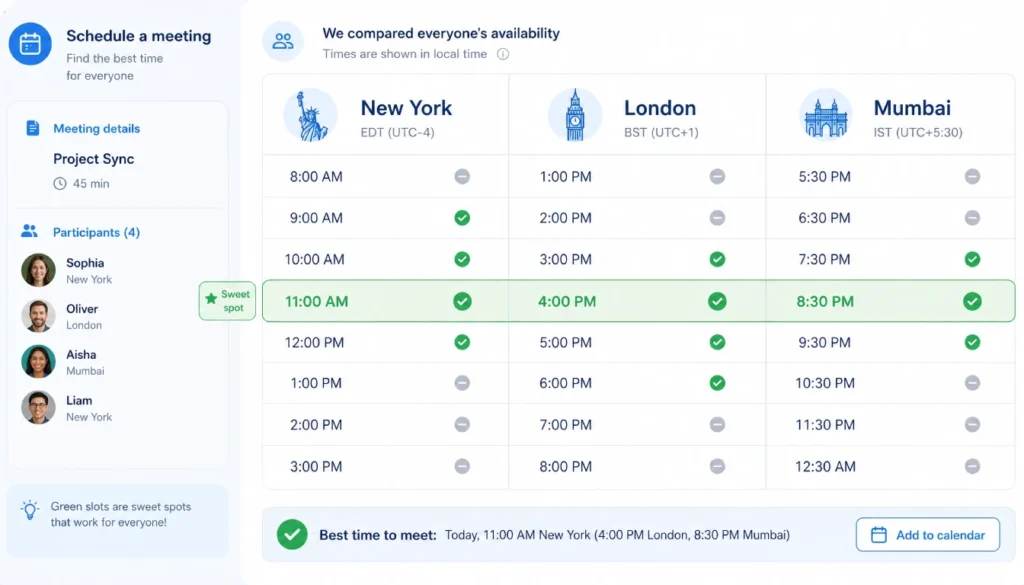
Use a free tool like When2meet or Doodle. Both convert time slots into each person’s local time automatically. Nobody has to do mental math or check a time zone converter.
Send the poll link in your group chat. Ask everyone to mark their free windows for the week. Look for the overlap that inconveniences the fewest people.
What to Do When There’s No Perfect Time
Sometimes no slot works for everyone. When that happens, use a rotating host time zone.
Agree on a system: one month, the early morning slot falls on your group in Asia. Next month, it shifts to your group in the Americas. This spreads the inconvenience fairly instead of always asking the same people to stay up late.
If you’re stuck trying to find a movie night time that doesn’t make someone suffer, stop guessing. Do these three things:
- Use a time-zone-friendly scheduling poll like When2meet or Doodle, and let everyone vote in their own local time.
- Agree on a rotating host time zone each month so the early morning slot gets shared fairly.
- Send an auto-converting invitation, so there’s zero confusion.
Step 3: Send Invitations That Nobody Will Misread
A confusing invite is the fastest way to lose half your group. If someone reads the wrong time zone, they’ll either miss the start or show up an hour early.
Copy-Paste Invitation Templates with Multiple Time Zone Slots
Here’s a template that removes the guesswork:
Movie Night: [Movie Title] When: Saturday, [Date] 🇺🇸 New York: 8:00 PM EST 🇬🇧 London: 1:00 AM GMT (Sunday) 🇮🇳 Mumbai: 6:30 AM IST (Sunday) Platform: Teleparty on Disney+ Link: [insert link 10 minutes before start]
Using clear virtual movie night invitation wording for multiple time zones like this means nobody has to open a separate app to figure out what time it is for them.
Tip: Bold the time zone abbreviations. It’s a small thing, but it stops people from misreading GMT as their own local time.
Step 4: Sync the Movie Start Perfectly (Even When the App Fails)
Even the best watch party tools glitch sometimes. Buffering hits one person and not another. Someone’s browser lags. Here’s how to sync a movie with friends online across different time zones when the tech doesn’t cooperate.
The Manual Countdown Method That Never Lets Me Down
Open a shared timer link, like a free online stopwatch, in the group chat five minutes before start. When it hits zero, everyone hits play at the same moment.
This works even if your watch party app crashes completely. It’s low-tech, but it’s reliable.

Troubleshooting When the Watch Party Gets Out of Sync
- Ask everyone to pause and refresh. This resets the connection for most platforms.
- Check individual internet speed. One slow connection can throw off the whole group.
- Switch to the manual countdown if the app keeps drifting more than a few seconds.
Key takeaway: Don’t rely on the app alone. A shared timer as backup saves the night when the tech fails.
Step 5: Make It Feel Like a Real Movie Night, Before, During, and After
A watch party isn’t just about pressing play at the same time. The parts before and after the movie are what make it feel like an actual hangout instead of a scheduling exercise.
Pre-Show Icebreakers That Work Across Time Zones
Ten minutes before the movie starts, drop a fun question in the group chat. “Which character from this movie matches your personality?” works well. So does a quick poll about snack choices.
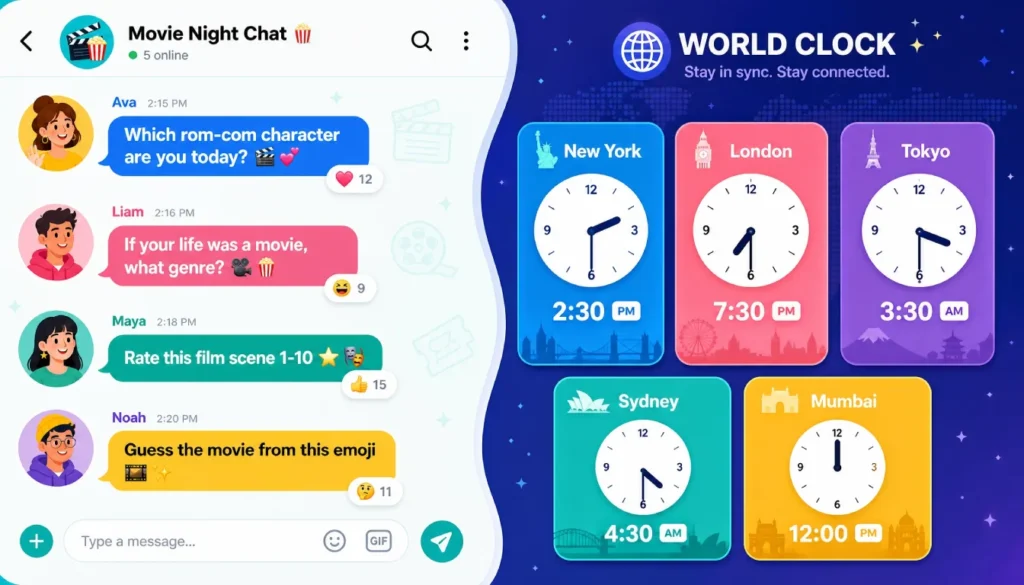
Send a two-minute voice note in the group chat before the movie starts. It feels far more personal than a text, and it wakes people up faster than typing.
Avoiding Spoilers and Keeping the Group Chat Lively
If people watch in different rooms or windows, playback can lag by a second or two. Ask everyone to hold off on reactions until the scene has clearly played for the whole group. A simple “wait for it” rule keeps spoilers out of the chat.
Real-Life Scenarios: Family Movie Nights, Long-Distance Relationships, and International Friend Groups
Family movie nights across generations: Grandparents in one country, grandkids in another. Keep the platform simple. Disney+ GroupWatch works well here since it needs no extra downloads.
Long-distance relationships: Consistency matters more than variety. Pick one weekly slot and stick with it, even if it means one partner watches at breakfast and the other at dinner.
International friend groups: Rotate the host time zone monthly. I’ve helped several friend groups set this system up, and the most common mistake is letting one time zone carry the burden every single week. Rotation keeps everyone invested.
Your No-Stress Virtual Movie Night Checklist
- [ ] Pick a platform everyone can access (Teleparty, GroupWatch, Kast)
- [ ] Send a scheduling poll with automatic time zone conversion
- [ ] Confirm the time in each person’s local zone before sending invites
- [ ] Use the invitation template with all time zones listed
- [ ] Set a shared countdown timer as backup sync
- [ ] Drop a pre-show icebreaker 10 minutes early
- [ ] Agree on a “wait for it” rule to avoid spoilers
- [ ] Rotate the host time zone next time, if needed
Final Thoughts
A virtual movie night with friends in different time zones doesn’t have to mean someone suffers through a 3 a.m. slot or a laggy stream. Pick the right app, use a scheduling poll that shows local times automatically, send a clear invitation, and keep a manual countdown ready as backup.
Once you’ve hosted a virtual movie night with friends in different time zones this way, you’ll never go back to guessing. Try it this weekend. Pick your movie, send the poll, and drop a comment below telling me how it went. I’d love to know which app worked best for your group.