
By Nathan Hayes | Last Updated: June 2026
I used to open Netflix with a plan. I’d tell myself, “Tonight I finish that crime thriller.” Then I’d spend 25 minutes scrolling, switch to Hulu, check what’s new on Max, and eventually put on something I’ve already seen three times.
Sound familiar?
The streaming world in 2026 is a lot. Between new releases dropping every week, multiple subscriptions running at once, and a watchlist that keeps growing faster than you can touch it, it’s no surprise so many people feel behind before they even press play.
That’s exactly why having a proper weekly TV watch schedule matters. Not because you need more rules in your life, but because a simple plan actually gives you more freedom. You stop wasting time deciding. You stop feeling guilty about falling behind. You just watch.
In this article, I’ll show you how to build a realistic TV show schedule planner that works for your life, including how to organize your watchlist, which tools help, and how to stop the Sunday scroll spiral once and for all.
Why You Keep Feeling Overwhelmed by Your Watchlist
Before we fix the problem, let’s name it.
The issue usually isn’t that you watch too much TV. It’s that you have no system. You add shows to your list on a whim, forget half of them, and then feel pressure to catch up on everything at once.
Content overload in 2026 is real. Streaming services release hundreds of new titles every month. Without a personal TV programming schedule, your brain treats every title as equal, which makes choosing anything feel harder.
The good news: you don’t need to watch less. You just need a smarter plan.
Step 1: Do a Watchlist Audit Before You Schedule Anything
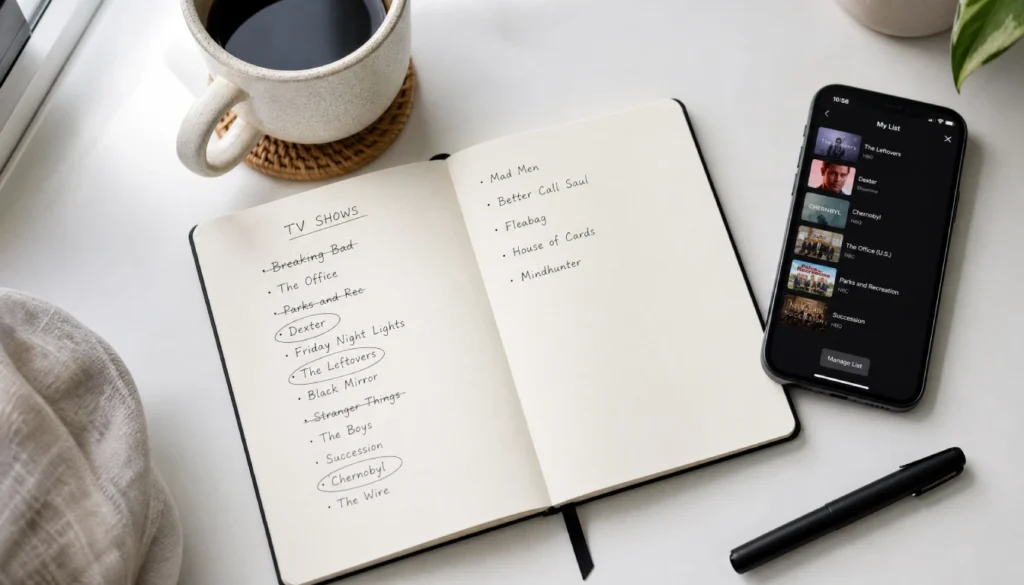
The first move is to clean up what you’re working with.
Open every streaming app you use and look at your saved list. Be honest with yourself. Some of those shows you added two years ago? You no longer care. Delete them.
Here’s a quick way to sort what’s left:
- Must-watch now: Shows currently airing with new episodes dropping weekly
- Ongoing series: Mid-season runs you haven’t finished
- Someday list: Completed series you’re curious about but not urgent
- Shared watches: Things you’re watching with a partner, family, or friend
This watchlist curation step alone takes the weight off. Instead of staring at 80 titles, you’re now working with a clean, realistic list.
Step 2: Set a Realistic Weekly TV Time Budget
This is the part most people skip, and it’s the reason their schedule falls apart.
Figure out how many hours per week you actually want to spend watching TV. Not what sounds responsible. What’s real.
For most people, that’s somewhere between 5 and 10 hours across the week. Some weeks more, some weeks less.
Once you have that number, block it into your weekly routine. Think of it as screen time budgeting for television. Monday night after dinner: 1 hour. Thursday before bed: 45 minutes. Saturday afternoon: 2 hours.
When you map TV into your week like any other activity, it stops competing with everything else. You know when it’s happening. That clarity alone reduces a lot of stress.
Step 3: Build Your Weekly TV Watch Schedule
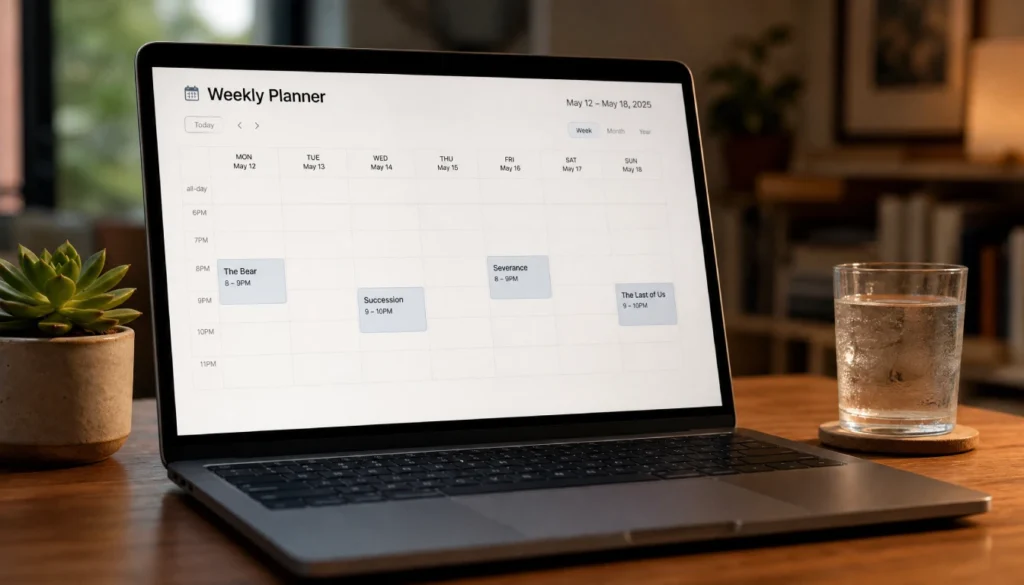
Now the fun part. Here’s how to create a simple, usable TV viewing schedule that actually works.
Pick 2 to 4 active shows per week maximum. Trying to keep up with 8 series at once guarantees burnout. Choose fewer and enjoy them more.
Match the show type to your energy level. Save heavy dramas for when you’re focused. Put light comedies or reality TV in low-energy slots.
Protect your episode release days. If a show drops new episodes on Friday, block Friday evening or Saturday morning for it. Build the week around what’s live.
Leave one flexible slot open. Life happens. A flexible night lets you catch up without derailing the whole plan.
Here’s what a sample weekly viewing schedule might look like:
| Day | Show | Time |
|---|---|---|
| Monday | Ongoing drama (1 ep) | 9:00 PM |
| Wednesday | Comedy series (2 eps) | 8:30 PM |
| Friday | New weekly release | 10:00 PM |
| Saturday | Movie or catch-up slot | 2:00 PM |
| Sunday | Partner watch night | 8:00 PM |
This is just a template. Adjust it to fit your life, your streaming subscriptions, and your energy.
Step 4: Use the Right Tools to Stay on Track
You don’t need anything fancy, but a good TV watchlist organizer makes it much easier to stick to your plan.
For simple tracking:
- A notes app with a weekly list works fine
- Google Calendar with TV show events and reminders
- A free printable weekly TV schedule template (search for one on Pinterest)
- Notion TV watch schedule templates (free and very flexible)
For more detailed tracking:
- TV Time (app, tracks episodes and sends release reminders)
- Serialized (for movie and show logging)
- Trakt (integrates with streaming services and tracks your history)
The best free TV tracking app for weekly planning is the one you’ll actually use. Don’t overthink it. Pick one and commit to it for a month.
How to Prioritize When Everything Feels Urgent
This is where most people get stuck. New shows keep arriving. Friends recommend things. Social media spoils plots. It all creates pressure to watch everything immediately.
Here’s a simple show prioritization system that helps:
- Live or weekly shows come first. These have a “freshness” factor. Watch them before you get spoiled.
- Showing you’re watching with others comes second. You don’t want to hold people up.
- Solo binge projects come third. These wait because they’ll always be there.
- Curiosity picks come last. Low priority until something else finishes.
This ranking makes decisions automatic. When you sit down to watch, you already know what’s next.
Common Mistakes to Avoid
Even with a solid plan, a few habits can quietly sabotage your schedule.
Starting too many new shows at once. It’s tempting when trailers look good. But spreading your attention across 10 series means you finish none of them.
Ignoring your energy level. Putting a dense, complicated drama in a slot when you’re exhausted leads to checking your phone every five minutes. Match the show to the moment.
Treating the schedule like a strict rule. A TV planner weekly should feel helpful, not punishing. Miss a slot? Just shift it. The whole point is less stress, not more.
Forgetting to update your list. Spend five minutes at the start of each week reviewing what you watched and what’s coming next. It keeps the plan fresh and relevant.
A Note on Watching With Family

If you’re managing a shared household, a family TV night schedule template adds another layer of coordination.
The easiest approach: designate one or two nights per week as shared watch nights. Everyone gets input on what goes in that slot. Everything else is personal viewing time.
For parents managing kids’ TV time, a simple weekly chart with time blocks works well. It removes the daily negotiation and sets clear expectations without making TV feel like a punishment.
Frequently Asked Questions
How many shows should I watch in a week?
Two to four active series are a manageable number for most people. Any more than that and it starts feeling like a second job. Quality viewing beats quantity every time.
What’s the best way to organize TV shows to watch when you have too many?
Start with a watchlist audit. Cut anything you’re not genuinely excited about. Then rank what’s left by priority: live or weekly shows first, ongoing series second, completed series third.
How do I stop feeling behind on TV shows?
Reframe the goal. You don’t need to watch everything. You need to enjoy what you watch. Accepting that you’ll miss some things is the first step to actually having fun with your schedule.
Can I use Google Calendar to schedule TV shows?
Yes, and it works really well. Create recurring events for your regular watching slots and add one-time events for season premieres or finales. You can even set reminders 15 minutes before so you don’t forget.
How do I handle new releases in summer 2026 without blowing up my plan?
Check a streaming release calendar at the start of each month. Note which new shows genuinely interest you and slot them in by replacing something lower on your priority list, not by adding to your existing schedule.
You Deserve to Enjoy Your TV Time
Here’s the truth: TV is supposed to be fun. The moment your watchlist starts feeling like homework, something’s gone wrong.
A good weekly TV watch schedule doesn’t add pressure. It removes it. You know what you’re watching, when you’re watching it, and why. The Sunday scroll disappears. The guilt about falling behind fades. You stop watching things out of obligation and start watching things you genuinely love.
Start simple. Pick two shows for this week. Block two or three time slots. Write it down or put it in your phone. That’s it. You can refine the system later.
What does your current TV routine look like? Are you working through a massive watchlist, keeping up with weekly releases, or somewhere in between? Drop a comment below, I’d love to hear how you manage it.