
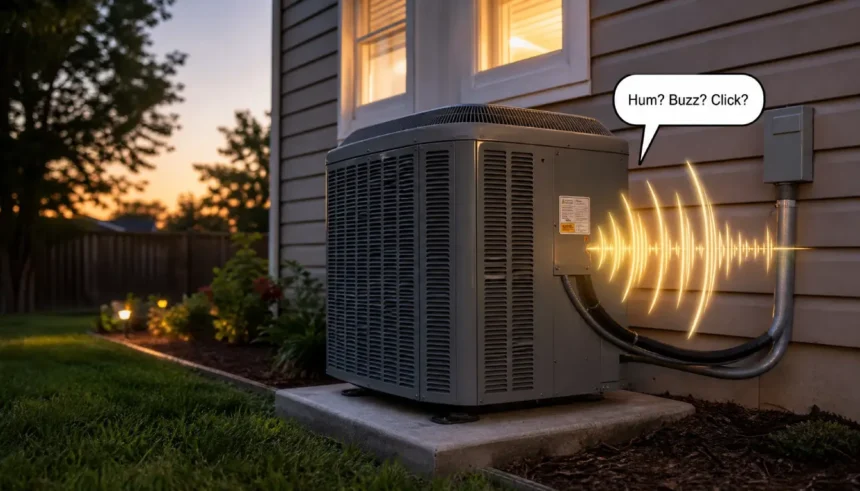
You’re standing next to your outdoor AC unit, it’s the middle of July, and something sounds off. Maybe it’s humming when it used to run quietly. Maybe the fan has gone silent, but the unit is still trying to do something. You’re not sure if you’re looking at a $20 fix or a $2,000 problem.
Here’s the good news: what does a bad capacitor sound like on an AC unit is actually one of the easier questions to answer – if you know what to listen for. This guide walks you through the 4 most common sounds, how to tell them apart from other AC issues, and what to do next without touching anything dangerous.
What Is an AC Capacitor (and Why Sound Matters)
Think of the capacitor as the battery that gives your AC’s motors a jolt to start running. There are usually two: a start capacitor that kicks the motor on, and a run capacitor that keeps it going. Some units combine both into a single dual run capacitor.
When a capacitor starts to fail, it can’t deliver that power cleanly. The motors strain, hesitate, or stall – and that mechanical struggle produces noise.
That’s why sound is one of the first clues you’ll notice. A failing capacitor often announces itself before it quits entirely, giving you a window to catch the problem early.
What Does a Bad Capacitor Sound Like? (The 4 Main Noises)
Not all bad-capacitor sounds are the same. Here’s how each one actually sounds, and what it means.
A Constant Humming Noise
A hum from a bad capacitor is a low, steady drone – similar to the sound a refrigerator makes, but coming from outside. It’s persistent, not rhythmic.
What’s happening: the motor is trying to run, but the capacitor isn’t giving it enough of a boost. The motor spins slowly or not at all, and that electrical strain creates the hum.
I noticed this exact sound on my own unit a few summers ago. The compressor was running, but the condenser fan wasn’t moving. That low hum was the fan motor trying to start and failing. The capacitor was the culprit.
Key takeaway: A steady hum, especially if the fan isn’t spinning, points strongly to a failing capacitor.
A Loud Buzzing Sound
A buzz is sharper and higher-pitched than a hum – think of an electric shaver or a fluorescent light about to die. This AC capacitor buzzing sound usually means the capacitor is under serious electrical stress.
It can also come from a contactor (the electrical switch that opens when the thermostat calls for cooling), but the buzzing from a bad capacitor tends to happen consistently while the unit is trying to run, not just at startup.
If your outside AC unit is buzzing every few minutes, that on-off pattern suggests the capacitor is partially working, then failing, then the unit trips a safety switch and restarts.
Rapid or Intermittent Clicking
A clicking sound – especially rapid, repeated clicks during startup – often means the motor is trying to turn but can’t hold a start. The capacitor fires, the motor hesitates, the system resets, and it tries again.
This is different from the single click you hear when your thermostat kicks the unit on. Bad-capacitor clicking is fast and frustrated-sounding, like a car engine that won’t quite catch.
Complete Silence (Yes, That’s a Sign Too)
Sometimes a completely dead capacitor produces no sound at all from the fan or compressor – but you’ll hear the unit “click on” (the contactor engaging) and then… nothing.
No hum, no spin, no attempt. That silence, combined with the unit clearly trying to start, is a sign the capacitor has failed. The motors have no power to even attempt to run.
Bad Capacitor Sounds vs. Other AC Noises (Contactor, Fan Motor)
It’s easy to mistake a bad capacitor for other problems. Here’s a quick breakdown:
| Sound | Likely Source | Key Clue |
|---|---|---|
| Low steady hum, fan not spinning | Bad capacitor | The fan is stuck, the motor is straining |
| Loud single clunk at startup | Failing contactor | Happens only at the moment the unit kicks on |
| High-pitched squeal or screech | Worn fan motor bearings | Persists even after the capacitor is replaced |
| Rattling or clanging | Loose fan blade or debris | Sound changes when the fan speed changes |
| Buzzing + fan spinning slowly | Weak run capacitor | The fan barely moves, but isn’t fully stopped |
The biggest tell for a capacitor issue: the sound happens while the unit is trying to run, not during a specific mechanical action like a blade hitting something.
“My AC Hums, but the Fan Won’t Spin” – Is It the Capacitor?
This is one of the most common calls HVAC techs get in summer, and it almost always points to the capacitor.
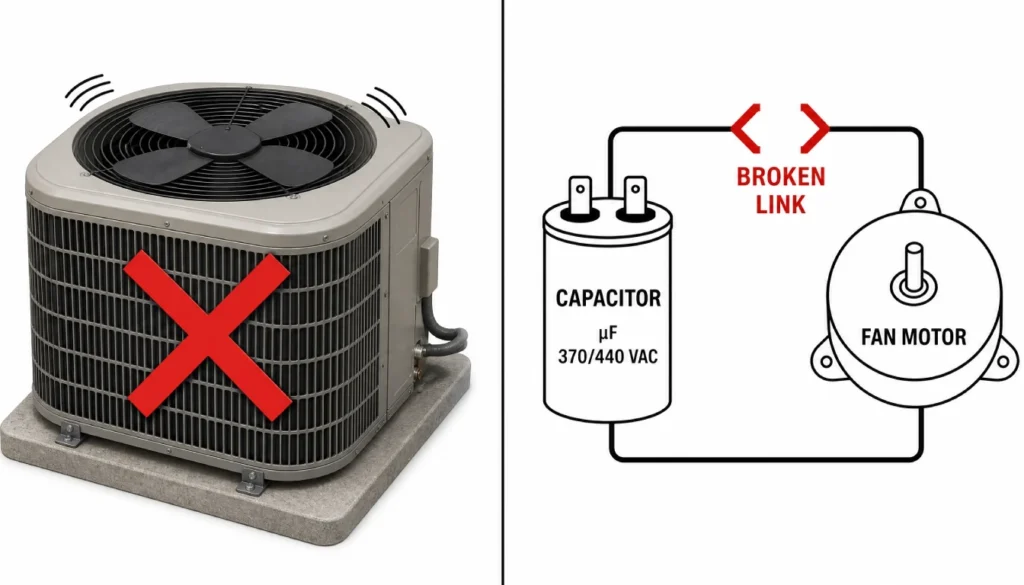
Here’s what’s happening at the electrical level: your fan motor needs two things to start – power from the circuit, and a phase-shifted boost from the capacitor. Without that boost, the motor has voltage but no torque. It sits and hums but can’t turn.
A bad AC capacitor humming noise paired with a stationary fan is almost textbook. The microfarad rating of the capacitor has dropped too low to do its job. Most residential run capacitors are rated between 5 and 60 µF (microfarads). When the actual capacitance falls more than 6% below the rated value, you’ll start noticing symptoms like this.
One thing NOT to do: don’t try to manually spin the fan blade to “help it start.” You can damage the motor or the blade, and it’s a safety risk if the blade suddenly catches.
How to Confirm a Bad Capacitor Without Touching Anything (Yet)
Before anyone opens that electrical panel, do this first. It’s safe, useful, and takes about two minutes.
Step 1: Listen carefully and note the type of sound. Is it a hum, a buzz, a click, or silence? Note whether the fan is moving. Is the compressor running (you’ll feel vibration near the base of the unit)?
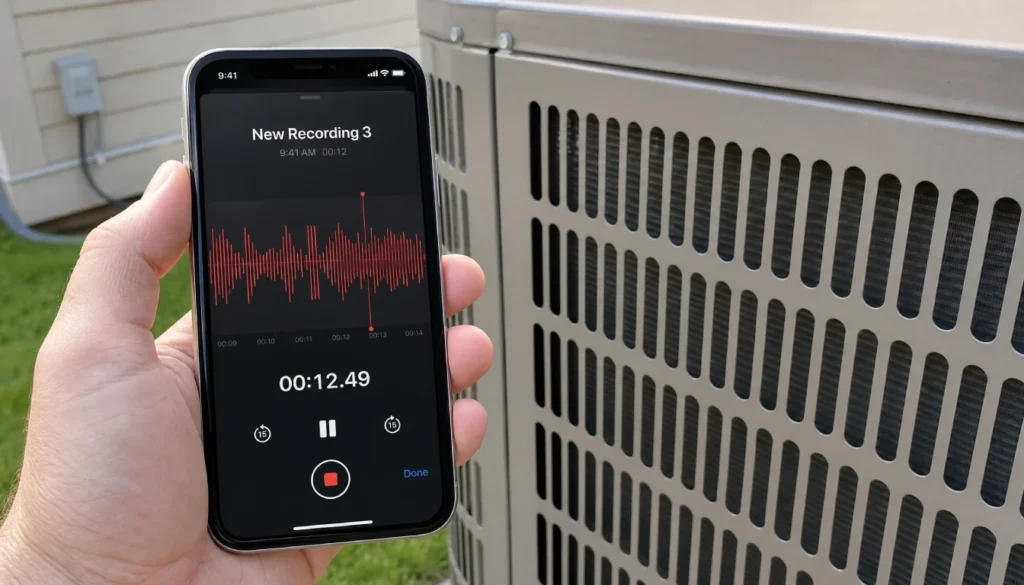
Step 2: Record the sound on your phone. Open your voice memo or video app and hold the phone near – but not touching – the access panel. Get 20–30 seconds of audio. This helps any HVAC tech diagnose the issue without a second visit.
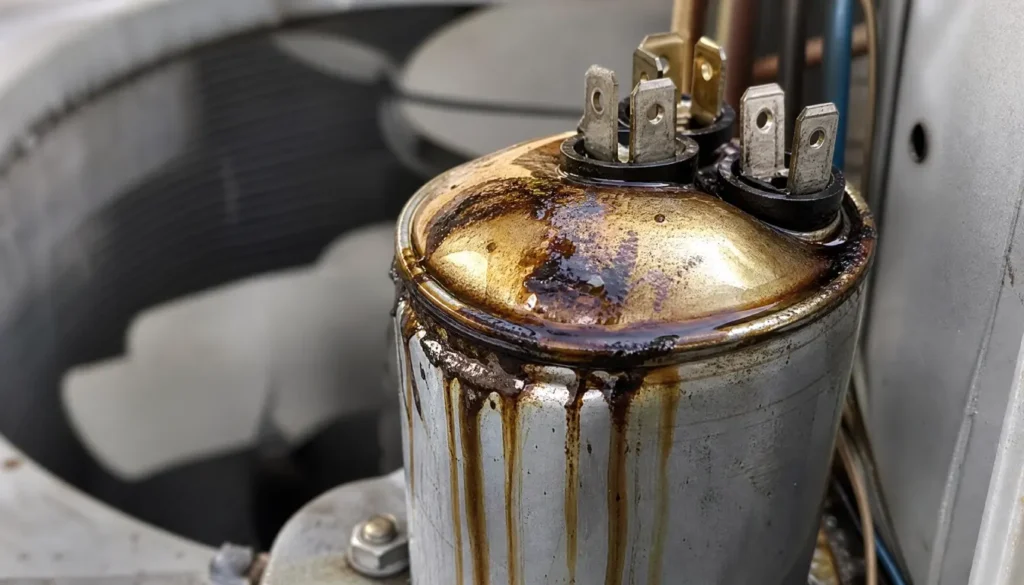
Step 3: Do a visual check from outside the unit. Look through the grille at the top. Is the fan spinning? Look at the sides of the unit – is there any oily residue or a burnt smell? A capacitor that’s leaking oil or has a swollen, bulged top (instead of a flat top) is visually confirmed as bad.
Step 4: Turn off the unit at the disconnect box. The disconnect is the small box on the wall near the outdoor unit. Pull the handle or flip the switch. Don’t open the electrical access panel yourself – capacitors store a charge even after power is cut, and discharging them safely requires the right tools and training.
Step 5: Call a licensed HVAC tech. With your sound recording, visual notes, and the unit safely off, you’ve done everything a homeowner can do safely. Hand that information to a pro – they’ll test capacitance with a multimeter and replace the part if needed. A dual run capacitor typically costs $10–$40 in parts; labor brings the total to $100–$250, depending on your area.
Frequently Asked Questions
Can a bad capacitor damage my AC unit if I keep running it?
Yes. A straining motor runs hot. Running your AC with a failing capacitor can burn out the fan motor or compressor – repairs that cost far more than a capacitor replacement. If you hear these sounds, turn the unit off and get it checked.
How long do AC capacitors last?ٍ
Most capacitors last 10–20 years, but heat shortens their lifespan. Units in hot climates or that run long hours every day tend to see capacitor failures earlier.
Can I replace the capacitor myself?
Technically, it’s a DIY-possible repair – but only if you know how to safely discharge the old capacitor first. A stored charge can cause serious injury. If you’re not experienced with electrical work, leave this one to a licensed tech.
Does a bad capacitor always make noise?
Not always. Some fail gradually with no dramatic sound – just reduced cooling efficiency and longer run times. But when noise does show up, it’s one of the clearest early warnings you’ll get.
How to tell if an AC capacitor is bad by sound – quick answer?
A hum with no fan spin = likely bad capacitor. A sharp buzz during operation = capacitor under stress. Rapid clicking at startup = motor can’t hold a start. Silence when the unit tries to run = the capacitor may be fully dead.
Final Safety Reminder & When to Call a Pro
To recap: what does a bad capacitor sound like on an AC unit? It sounds like a low, constant hum; a sharp, intermittent buzz; rapid clicking at startup; or – in full failure – complete silence from a unit that’s clearly trying to run.
You can absolutely diagnose this by ear and by eye. But the moment it comes to opening electrical panels, discharging a capacitor, or testing with a multimeter, bring in a licensed HVAC technician. A $150–$250 capacitor replacement is a much better outcome than a burned-out motor or an electrical injury.
Turn off the unit, record what you heard, and call your tech with confidence. You already know more than most homeowners do.
Got a noise that doesn’t match any of these descriptions? Drop it in the comments below – I read every one and try to point you in the right direction.