
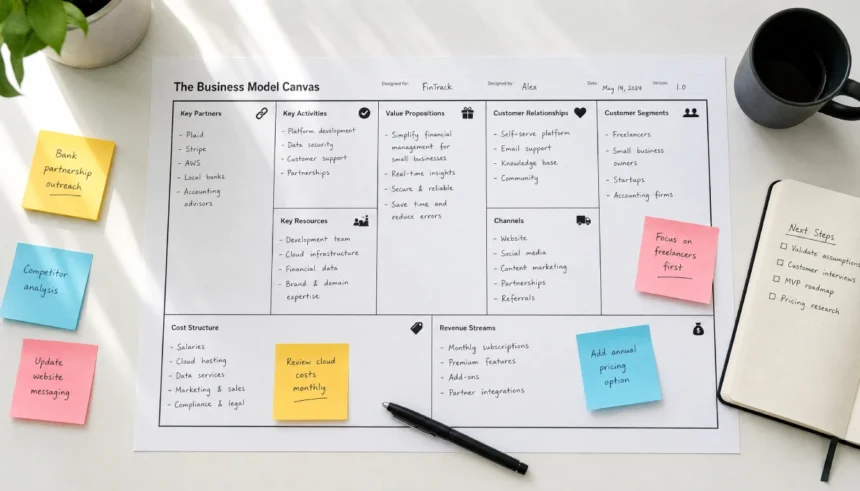
I remember sitting at my kitchen table with a half-finished business plan, a cold cup of coffee, and a growing sense of dread. I had been writing for three days. Pages of text. Dense paragraphs about target markets and five-year projections. And I still had no real idea if my business idea actually made sense.
Sound familiar?
Most people trying to start or grow a business hit this wall. You either write a 40-page business plan nobody reads, or you wing it and hope for the best. Neither works well.
That is where the business model canvas comes in. It is a single-page tool that shows you exactly how your business works, who it serves, and how it makes money. No fluff. No 40-page documents.
In this guide, I will walk you through what a business model canvas is, what its 9 building blocks mean, how to fill one out step by step, and where you can grab a free fillable template today.
What is a Business Model Canvas, Exactly?
The business model canvas is a visual strategy tool created by Alexander Osterwalder and introduced in his book Business Model Generation. It maps your entire business onto one page using 9 key building blocks.
Think of it as a business snapshot. Instead of writing paragraphs, you fill in boxes. Each box represents a core piece of your business, from your customers to your costs to how you reach people.
It is used by startups, students, MBA programs, and Fortune 500 companies alike. And the reason it works is simple: when you can see your whole business on one page, you spot problems and opportunities much faster.
Why Use a Business Model Canvas Instead of a Business Plan?
A traditional business plan takes weeks to write and months to go stale. A business model canvas takes about an hour to complete and can be updated in minutes.
Here is a quick comparison:
| Feature | Business Plan | Business Model Canvas |
|---|---|---|
| Length | 20 to 50+ pages | 1 page |
| Time to complete | Weeks | 1 to 2 hours |
| Easy to update | No | Yes |
| Visual and scannable | No | Yes |
| Good for pitching ideas | Sometimes | Always |
| Best for | Loan applications | Strategy and testing |
For early-stage planning, team alignment, or pitching to investors, the canvas wins almost every time.
The 9 Building Blocks of a Business Model Canvas
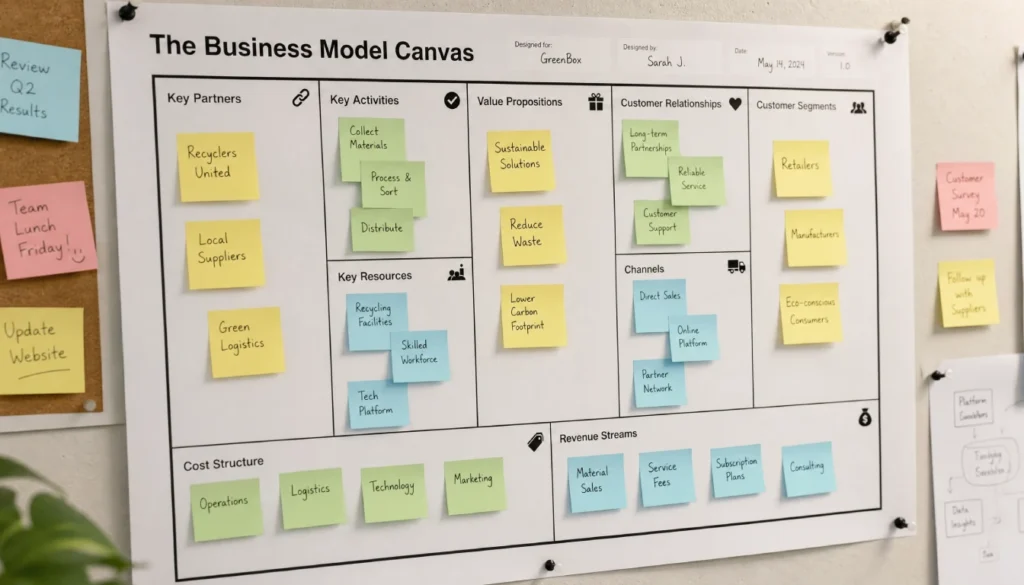
This is the core of the tool. Every business, whether it is a coffee shop, a SaaS startup, or a freelance practice, can be described using these 9 parts.
1. Customer Segments
Who are you serving? Be specific. “Everyone” is not a customer segment.
Are you targeting college students, small business owners, or busy parents? The more clearly you define your customer segments, the easier everything else becomes.
2. Value Proposition
What problem do you solve, and why should someone choose you over everyone else?
This is the heart of your business model canvas. Your value proposition is what makes your offer worth paying for. It should be clear, specific, and tied to a real customer need.
3. Channels
How do you reach your customers?
Channels include your website, social media, email list, physical store, or sales team. Think about where your customers already spend time and how you can show up there.
4. Customer Relationships
How do you interact with your customers before, during, and after the sale?
This covers everything from automated emails to personal consultations. Defining this early helps you plan your service model and set the right expectations.
5. Revenue Streams
How does your business actually make money?
You might charge a one-time fee, a subscription, a commission, or a licensing fee. List every way money flows into your business. This box often reveals opportunities people overlook.
6. Key Resources
What do you need to deliver your value proposition?
Resources can be physical (equipment, office space), intellectual (patents, brand), human (your team), or financial (cash, credit). Be honest about what you already have and what you still need.
7. Key Activities
What must your business actually do to operate?
For a software company, it might be product development and customer support. For a bakery, it is baking, sourcing ingredients, and managing orders. Focus on the activities that directly deliver your value proposition.
8. Key Partners
Who do you work with to make your business run?
Key partners might include suppliers, distributors, freelancers, or strategic alliances. Partnerships reduce risk and fill gaps in your resources or activities.
9. Cost Structure
What are your highest costs?
Once you fill in the rest of the canvas, costs become clearer. List your fixed costs (rent, salaries) and variable costs (materials, ads). This box helps you understand whether your business model is financially sustainable.
How to Fill Out a Business Model Canvas Step by Step

Ready to try it yourself? Here is a simple process that works whether you are a first-timer or working through your fifth iteration.
Step 1: Start with your customer segments. You cannot design a business without knowing who you serve. Start here every time.
Step 2: Define your value proposition. What do your customers need, and how does your offer meet that need better than alternatives?
Step 3: Map your channels. Where and how will you reach those customers?
Step 4: Describe customer relationships. How will you attract, retain, and grow your customer base?
Step 5: List your revenue streams. How does each customer segment pay you?
Step 6: Identify key resources. What assets are essential to delivering your value proposition?
Step 7: Define key activities. What does your business do every day to function?
Step 8: Name your key partners. Who helps you do what you cannot or should not do alone?
Step 9: Estimate your cost structure. What does it cost to run this model?
Once all 9 boxes are filled, read through the whole canvas. Ask yourself: does this actually make sense? Does the revenue cover the costs? Does the value proposition match what your customer segments actually need?
You will probably revise it. That is normal. The canvas is meant to be a living document.
Business Model Canvas Examples
Seeing real examples helps more than any definition. Here are two quick sketches:
Coffee Shop Business Model Canvas:
- Customer Segments: residents, remote workers
- Value Proposition: quality coffee with a comfortable work environment
- Channels: physical storefront, Instagram, Google Maps
- Revenue Streams: coffee sales, pastries, merchandise
- Key Resources: equipment, baristas, location
SaaS Business Model Canvas:
- Customer Segments: small business owners
- Value Proposition: simple invoicing software that saves 5 hours per week
- Channels: Google ads, content marketing, app marketplaces
- Revenue Streams: monthly subscriptions
- Key Resources: software product, dev team, customer support
You can see how the canvas forces you to be specific. Vague ideas become clear quickly when you have to fit them into 9 defined boxes.
Where to Get a Free Fillable Business Model Canvas Template
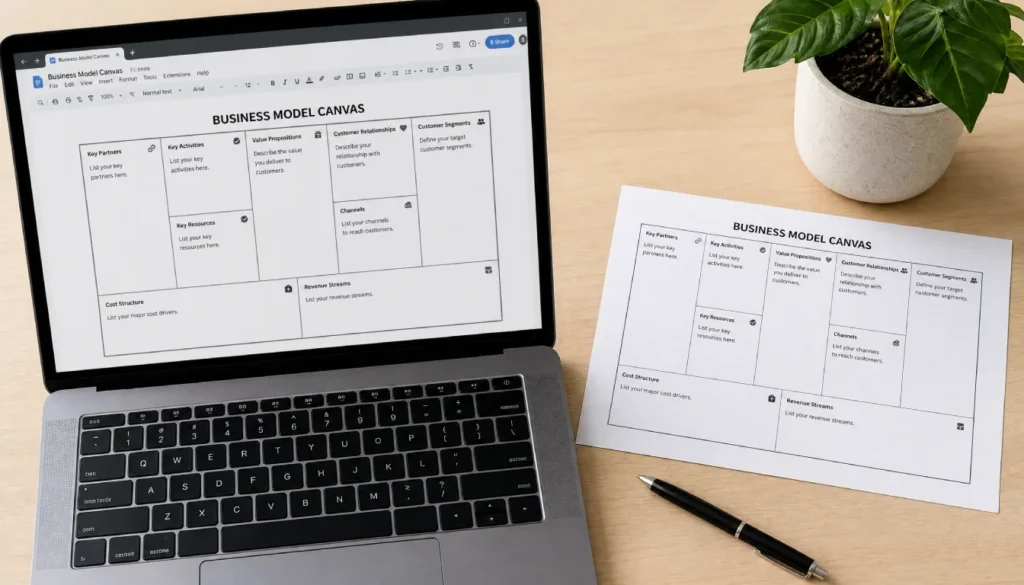
You do not need fancy software to get started. Here are a few places to grab a free fillable business model canvas template:
- Strategyzer.com (the official source from Alexander Osterwalder) offers a free download in PDF format
- Google Docs and Google Slides have community-made templates you can copy and edit
- Canva has editable business model canvas templates you can customize visually
- Miro and Figjam both have digital whiteboard versions great for remote teams
- Notion has community templates if you prefer a text-based format
- Excel and Google Sheets versions work well if you want a fillable business model canvas form you can share and update
For most beginners, a simple PDF or Google Docs version is all you need. Print it out, use sticky notes, and work through it with a pen. Analog is fine. Getting your ideas onto the canvas matters more than which tool you use.
Common Mistakes People Make With the Business Model Canvas
Even a simple tool can trip you up if you are not careful. Watch out for these:
- Being too vague. “Everyone” is not a customer segment. “Small business owners in the US with fewer than 10 employees” is.
- Skipping the cost structure. This box reveals whether your model actually works financially. Do not rush it.
- Treating it as a one-time task. The canvas should be reviewed and updated regularly, especially in early stages.
- Filling it in alone. If you have a co-founder, team, or even a mentor, do it together. You will catch things you would miss on your own.
- Confusing activities with resources. Resources are what you have. Activities are what you do with them.
Frequently Asked Questions
What is a business model canvas used for?
It is used to map, plan, and test a business idea on a single page. It helps founders, teams, and students visualize how a business creates and delivers value while making money.
Who invented the business model canvas?
Alexander Osterwalder, a Swiss business theorist, created it and introduced it in his 2010 book Business Model Generation, co-authored with Yves Pigneur.
What are the 9 parts of a business model canvas?
Customer Segments, Value Proposition, Channels, Customer Relationships, Revenue Streams, Key Resources, Key Activities, Key Partners, and Cost Structure.
Is a business model canvas better than a business plan?
For testing ideas and strategic planning, yes. For bank loans or formal applications, a traditional business plan may still be required. Many founders use both at different stages.
Can I use a business model canvas for a non-profit?
Absolutely. Non-profits use it by replacing “Revenue Streams” with funding sources (grants, donations) and adjusting the value proposition to reflect social impact instead of profit.
Final Thoughts
The business model canvas does not replace deep thinking. What it does is give your thinking a place to land.
If you have been circling a business idea or struggling to explain your model to a partner or investor, filling out a canvas is the fastest way to get clarity. It takes an hour. It fits on one page. And it shows you exactly where your idea is strong and where it needs work.
Start messy. Fill in what you know. Leave blanks where you need to do more research. Come back to it tomorrow with fresh eyes.
You do not need a perfect business to start a business model canvas. You just need a willingness to be honest about how your idea actually works.
Give it a try and let me know how it goes. Drop a comment below with your biggest question about the canvas, or share which section you found hardest to fill in. I read every reply.